







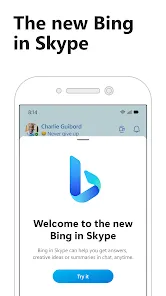
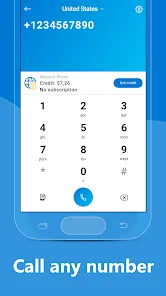

Skype is a communication app that allows users to make voice and video calls, send instant messages, and share files with others around the world. It supports one-on-one conversations as well as group calls, making it ideal for both personal and professional communication. With integration across devices, Skype ensures users can stay connected whether on a computer, tablet, or smartphone.
Key Features
- Voice and video calls with individuals or groups.
- Instant messaging for quick communication.
- File and media sharing within chats.
- Screen sharing for presentations or collaboration.
- Call recording and transcription options.
- Integration with Microsoft 365 for seamless workflow.
- Available on multiple platforms including Windows, macOS, Android, and iOS.
Functions
- Make voice and video calls to any Skype user worldwide.
- Send instant messages, emojis, and GIFs in chats.
- Share files, images, and videos within conversations.
- Use screen sharing for meetings or demonstrations.
- Record calls and save transcripts for future reference.
- Integrate with Microsoft 365 tools for enhanced productivity.
- Switch between devices while maintaining conversation continuity.
Pros
- Reliable voice and video communication worldwide.
- Supports group calls and collaboration.
- Cross-platform compatibility ensures accessibility.
- Integrated file sharing and screen sharing features.
- Free to use for most features with optional paid calls to phones.
Cons
- Call quality may vary depending on internet connection.
- Some advanced features require a Microsoft 365 subscription.
- Interface can feel outdated compared to newer messaging apps.
- Can consume significant bandwidth during video calls.
How to Use Skype
- Click the "Check All Versions" button below to download and install Skype.
- Sign in with your Microsoft account or create a new one.
- Add contacts using email addresses or Skype usernames.
- Start a voice or video call, or send instant messages to contacts.
- Share files or use screen sharing during calls as needed.
- Record important calls if necessary and save transcripts.
- Switch between devices seamlessly to continue conversations anywhere.


 0
0