














Browsing the web should be a fast, clean, and focused experience, but intrusive pop-ups, auto-play videos, and tracking ads often get in the way. Adblock Browser is designed to reclaim your digital space, offering a mobile web browser built from the ground up to block unwanted content before it even loads. It’s more than just an ad blocker; it’s a privacy-focused gateway to a smoother, faster, and safer internet. By stripping away the clutter, Adblock Browser not only speeds up page loading and reduces data usage but also protects you from malicious ads and trackers, allowing you to enjoy the content you love without the distractions and privacy concerns.
Key Features That Set Adblock Browser Apart
- Built-In Ad Blocking: The core functionality blocks a wide range of ads, including banners, pop-ups, and video ads, by default, with no complex setup required.
- Enhanced Privacy Protection: Automatically blocks many third-party trackers that follow you across the web, helping to keep your browsing behavior private.
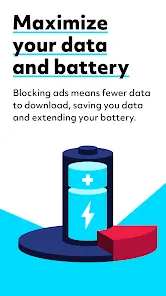
- Faster Page Load Times & Data Savings: By preventing ads and trackers from loading, web pages display significantly faster and use less of your mobile data plan.
- Customizable Filter Lists: Choose from a variety of filter lists to block specific types of content, such as social media buttons, cookie warnings, or regional ads.
- Safe Browsing & Malware Protection: Helps protect you from known phishing and malware websites by warning you before you visit a dangerous page.
Who Is Adblock Browser For?
- Privacy-Conscious Users: Anyone who wants to minimize their digital footprint and prevent companies from tracking their online activity.
- Data-Capped Mobile Users: Perfect for those with limited data plans, as blocking ads can reduce data consumption by up to 50% or more.
- Frustrated Web Browsers: Individuals who are tired of intrusive, noisy, and disruptive ads ruining their reading and viewing experience.
- Parents and Families: Helps create a safer, more controlled browsing environment by blocking inappropriate ad content.
How to Use Adblock Browser
- Click “Check All Versions” below to download and install Adblock Browser on your device or browser.
- Set as Default (Optional): For the best experience, set Adblock Browser as your default mobile browser to ensure all links open in a protected environment.
- Customize Your Blocking Settings: Access the settings menu to review and enable additional filter lists for more granular control over what gets blocked.
- Browse Freely: Visit your favorite websites and notice the immediate difference in speed and the absence of intrusive ads.
- Whitelist Trusted Sites: If you wish to support a specific website, you can easily disable ad blocking for that site with a single tap.


 0
0