
Sound Meter is a practical app designed to measure the noise levels in your environment accurately using your smartphone’s microphone. It provides real-time readings in decibels (dB) and helps users monitor sound for personal safety, workplace compliance, or general awareness. With intuitive visuals, calibration options, and historical data tracking, Sound Meter makes it easy to identify loud areas, reduce exposure to excessive noise, and understand your acoustic surroundings in everyday life.
Overview
- Measure ambient noise levels in decibels using your smartphone.
- Real-time monitoring and tracking for safety, health, or awareness.
- Designed for individuals, professionals, and anyone concerned with sound levels.
Key Features
- Accurate noise measurement in decibels (dB) with real-time updates.
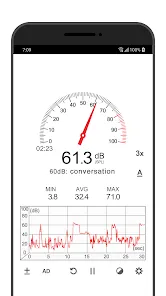
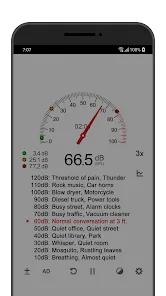
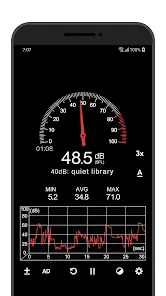
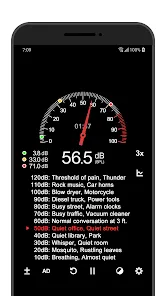
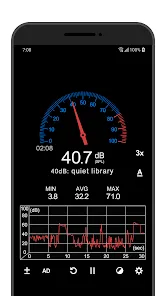
- Visual meter and numeric readout for easy interpretation of sound levels.
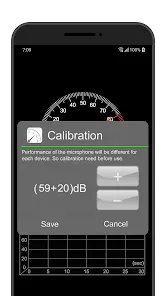
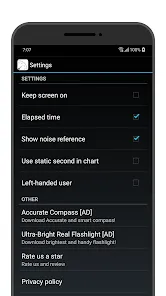
- Calibration options to improve measurement accuracy on different devices.
- Historical data logging to track sound levels over time.
- Alerts for exceeding predefined noise thresholds.
- Simple interface with easy-to-read displays for quick assessments.
Design and Usability
- Clean, user-friendly interface optimized for mobile devices.
- Easy navigation between live measurement, history logs, and settings.
- Graphical display showing current sound intensity and trends.
- Optimized for smooth, responsive performance on smartphones and tablets.
Measurement Tools
- Real-time decibel meter for continuous sound monitoring.
- Graphical and numerical representation of sound levels.
- Customizable alerts to warn of high noise exposure.
- Data export options for reporting or further analysis.
Who It’s For
- Individuals monitoring noise exposure for health and safety reasons.
- Professionals needing to check workplace or environmental sound levels.
- Students or hobbyists exploring acoustics and sound measurement.
- Anyone wanting a convenient tool to measure and track noise levels easily.
How to Use
- Click the button “Check All Versions” below to download and install Sound Meter on your device or browser.
- Open the app and grant microphone access to start measuring sound.
- View real-time decibel readings using the numerical and visual meter.
- Calibrate the app if necessary to improve accuracy on your device.
- Set alerts for specific noise thresholds to monitor exposure safely.
- Review historical data to analyze trends and patterns in sound levels.
- Export data if needed for reporting, research, or personal reference.


 0
0 


