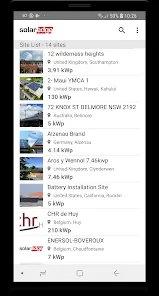
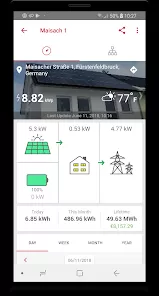
For homeowners who have invested in solar energy, the desire to see real-time results and understand your system's performance is only natural. The SolarEdge Monitoring app is your personalized window into your solar power production, offering detailed, real-time insights directly on your smartphone or tablet. Designed to work seamlessly with SolarEdge inverters and power optimizers, this app transforms complex energy data into clear visualizations, helping you track savings, monitor efficiency, and ensure your system is operating at its peak. It's the smart way to stay connected to your clean energy investment.
Core Monitoring Features
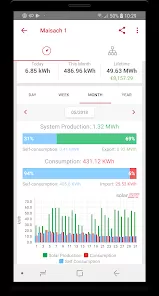
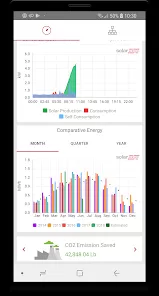
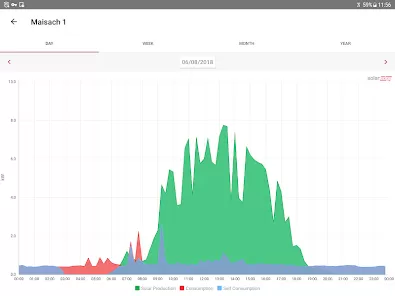
- Real-Time & Historical Dashboard: View your current power production and consumption at a glance, with detailed charts showing performance by hour, day, month, or year.
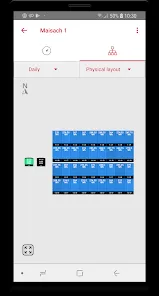
- Panel-Level Monitoring (with optimizers): See the performance of individual solar panels on your roof, allowing for quick identification of any issues like shading or debris.
- Energy Balance & Self-Consumption: Track how much energy you're producing versus consuming, and see how much you're sending back to the grid or storing in a battery.
- Environmental Impact & Savings: View real-time calculations of your CO2 emissions savings and the financial value of the energy your system has produced.
- Alerts & Notifications: Receive immediate push notifications for system events, like inverter faults or production drops, so you can address issues promptly.
Who Is the SolarEdge App For?
- Homeowners with a SolarEdge inverter-based solar system (with or without power optimizers).
- Solar system owners who are data-driven and want to maximize their investment's performance and ROI.
- Users who want to monitor their energy independence and contribution to environmental sustainability.
- Technically curious individuals who appreciate detailed insights into their home's energy ecosystem.
How to Start Monitoring Your System
- Click “Check All Versions” below to download and install the SolarEdge Monitoring app on your device or browser.
- Open the app and log in using the credentials provided by your solar installer. If you haven't set up an account, you may need your system's Site ID.
- Once logged in, you'll land on the main dashboard showing today's production. Explore the different view options (Day, Week, Month, Year).
- Tap on the "Layout" view to see a visual map of your array and check the performance of individual panels (if you have optimizers).
- Set up alerts in the settings menu, and check the app regularly to understand your energy patterns, celebrate sunny days of high production, and ensure everything is running smoothly.


 0
0