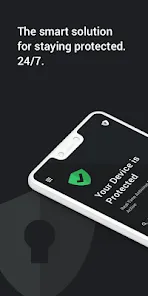
In today's increasingly connected digital world, protecting our devices from malware, viruses, and online threats has become more crucial than ever. Yet many people find themselves overwhelmed by complex security software that slows down their systems or fails to provide comprehensive protection across all their devices. What if you could have enterprise-grade security that works quietly in the background, offering robust protection without complicating your digital life? Welcome to TotalAV, the award-winning antivirus solution that combines powerful threat detection with an intuitive interface designed for everyday users. More than just another security program, TotalAV creates a complete digital protection ecosystem that safeguards your computers, smartphones, and personal data against the evolving landscape of cyber threats.
Why TotalAV Feels Like Having a Digital Bodyguard:
Features That Deliver Comprehensive Digital Protection:
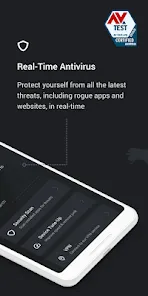
- Real-Time Antivirus Protection: Continuously monitor your system for malware, ransomware, spyware, and other threats with advanced detection algorithms.
- Smart Scan Technology: Perform quick scans of critical system areas or deep comprehensive scans that examine every file and program on your device.
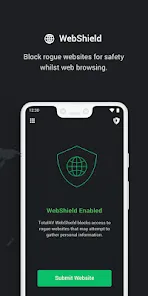
- Web Shield & Phishing Protection: Block malicious websites and prevent phishing attempts before they can steal your personal information.
- System Optimization Tools: Clean junk files, manage startup programs, and remove unnecessary applications to improve device performance.
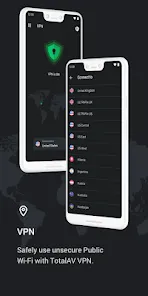
- VPN Integration: Access secure, encrypted browsing with TotalAV's integrated Virtual Private Network for privacy on public networks.
- Password Vault: Store and manage your login credentials securely with military-grade encryption and easy autofill capabilities.
- Cross-Platform Compatibility: Protect all your devices with support for Windows, Mac, Android, and iOS from a single subscription.
How to Begin Your TotalAV Protection Journey:
- Click "Check All Versions" below to download and install TotalAV on your device or browser.
- Run your first system scan to identify any existing threats or performance issues.
- Configure your protection settings based on your security preferences and usage patterns.
- Set up scheduled scans to ensure regular system checkups without manual intervention.
- Install TotalAV on your other devices to extend protection across your digital ecosystem.
- Explore additional features like the password manager, VPN, and optimization tools.


 0
0