
The journey of learning is filled with moments of curiosity and discovery, but it can also bring challenging questions that stall progress. Whether you're a student tackling complex algebra, dissecting a historical event, or analyzing a scientific concept, having access to clear, step-by-step explanations can turn frustration into understanding. That's where Socratic by Google comes in. It's more than just a homework helper; it's an AI-powered learning companion designed to guide you through problems across a wide range of subjects. By simply taking a photo of a question or asking it aloud, Socratic doesn't just give you an answer—it surfaces curated explanations, concept overviews, and helpful resources from across the web. It’s like having a patient tutor available 24/7, focused on helping you grasp the "why" behind the solution.
Why You'll Love Learning with Socratic
We built Socratic to support students in developing deeper comprehension, not just finding quick answers. It’s crafted to break down complex topics into understandable pieces using Google's AI and a vast library of learning resources. Here’s what makes it a standout educational tool:
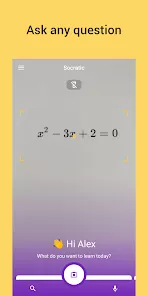
- Visual Problem-Solving with Your Camera: The fastest way to get help. Take a photo of your homework question—whether it's a math equation, a paragraph from a book, or a diagram—and Socratic will analyze it and provide relevant explanations.
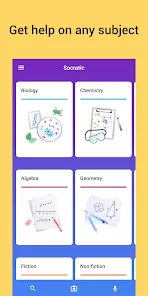
- Multi-Subject Support: Get assistance in Science, Math, Literature, Social Studies, and more. From calculus and chemistry to history and grammar, Socratic covers core high school and early college curriculum topics.
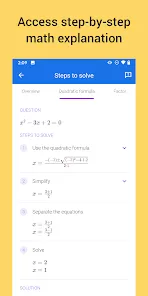
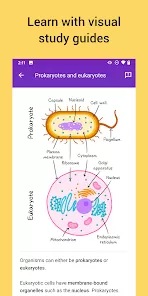
- Step-by-Step Explanations & Underlying Concepts: Go beyond a single answer. Socratic breaks down math solutions into clear steps. For humanities and science questions, it provides definitions, diagrams, and key concept reviews to build your foundational knowledge.
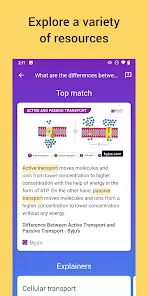
- Curated Online Resources: Access a handpicked selection of the best learning materials from across the internet, including educational videos, concept summaries, and detailed articles from trusted sources like Khan Academy, Crash Course, and others.
Key Features for Deeper Understanding
Beyond answering questions, Socratic is engineered to be a comprehensive study aid:
- Voice Input for Spoken Questions: Prefer to ask aloud? Use voice input to state your question naturally, just as you would to a teacher or tutor.
- Subject-Specific Browsing & Explorations: Browse by subject to find curated topic guides and common questions. Explore related concepts to gain a fuller picture of the subject area you're studying.
- Offline Access to Saved Explanations: Save explanations for key problems or concepts you want to review later. Access these saved items even without an internet connection, perfect for last-minute study sessions.
- Clean, Distraction-Free Interface: The app is designed to keep you focused on learning. It presents information clearly without intrusive ads, creating an environment conducive to study.
How to Start Using Socratic
Getting help with your studies is incredibly straightforward. Here's how to begin your learning journey with Socratic:
- Click the button “Check All Versions” below to download and install Socratic by Google on your device.
- Open the app and grant camera permissions if you want to use the photo feature—it's the quickest way to get help for written problems.
- To get help, either tap the camera icon to take a photo of your question, use the microphone icon to ask by voice, or type your question into the search bar.
- Review the results. For math, examine the step-by-step solution. For other subjects, read through the concept explanations and explore the linked videos and articles to fully understand the topic.
- Use the "Explore" tab to browse subjects and discover curated guides for common topics in your courses.
Unlock Your Understanding
Socratic by Google redefines homework help by prioritizing learning over simply providing answers. It empowers you to overcome obstacles independently by offering the tools and resources to build genuine comprehension. It's the perfect study companion for high school students, college freshmen, or anyone looking to refresh their knowledge in a core subject. We invite you to use Socratic not as a shortcut, but as a guide to help you master challenging material and develop the confidence to tackle any question. Turn your moments of confusion into opportunities for growth and deeper learning.



 0
0