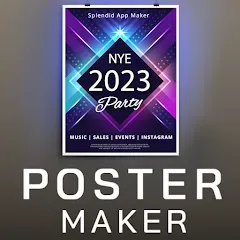
Have you ever needed to create a stunning poster for a neighborhood event, a professional flyer for a small business sale, or an eye-catching social media graphic but felt overwhelmed by complex design software? A dedicated Poster Maker & Flyer Maker app puts the power of graphic design directly in your pocket. These intuitive mobile tools are built for everyone, offering thousands of professionally designed templates, easy drag-and-drop editing, and a vast library of graphics, fonts, and photos to help you create polished, effective visual content in minutes. Whether you're a student, entrepreneur, event planner, or just someone with a message to share, these apps turn your creative ideas into reality without needing any prior design experience.
Why You'll Love a Poster & Flyer Maker App
These apps democratize design by removing technical barriers and focusing on simplicity, speed, and beautiful results.
- Thousands of Professionally Designed Templates: Start with a perfect foundation. Browse templates for every occasion: business promotions, party invitations, real estate listings, concert posters, restaurant menus, and social media posts.
- Drag-and-Drop Simplicity: Customizing is as easy as tapping on text to edit it, dragging photos into place, and resizing elements with your fingers. No layers, menus, or complex tools to learn.
- Huge Asset Libraries: Access millions of high-quality stock photos, icons, shapes, and decorative graphics directly within the app. Most include extensive font collections to find the perfect typography for your message.
- Export for Any Purpose: Save your final creation in high-resolution formats suitable for both print (like PDF) and digital sharing (JPG, PNG). Many apps offer pre-sized formats for Instagram, Facebook, and other platforms.
Core Features That Make a Difference
The best apps include advanced tools that give you more creative control while keeping the process user-friendly.
- Background Removal & Photo Editing: Use AI-powered tools to instantly remove backgrounds from your own photos. Basic photo editing features like filters, brightness, and contrast adjustments are usually included.
- Brand Kit & Custom Color Palettes (Pro): For businesses, save your logos, brand colors, and fonts as a "Brand Kit" to apply them to any new design instantly, ensuring consistency across all your materials.
- Collaboration & Cloud Storage: Some apps allow you to share projects with team members for feedback and co-editing. Your designs are often saved to the cloud, accessible from any device.
- QR Code Generator & Integration: Easily add a scannable QR code to your flyer or poster that links directly to your website, menu, or event page, adding a powerful interactive element.
How to Use a Poster Maker and Get Started Today
Creating your first professional-looking design is a quick, three-step process within these apps.
- Click “Check All Versions” below to download and install a recommended Poster Maker & Flyer Maker app on your device or browser.
- Open the app and tap "Create New." Browse the template categories or use the search bar to find a design that matches your need (e.g., "Yard Sale Flyer" or "Summer Party Poster").
- Tap on your chosen template to start editing. Change the text by tapping on it. Replace placeholder images by tapping the photo icon and choosing from your camera roll or the app's stock library.
- Customize colors by tapping on any element and selecting from the color palette. Add extra graphics or icons from the "Elements" or "Stickers" section.
- Use the background remover on your own photos for a clean, professional look. Adjust the layout by dragging elements around the canvas.
- Once satisfied, tap "Save" or "Share." Export as a high-quality JPG/PNG for digital use or as a PDF for professional printing. Share directly to social media or messaging apps.


 0
0