

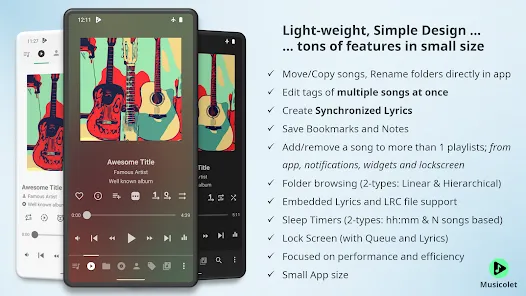
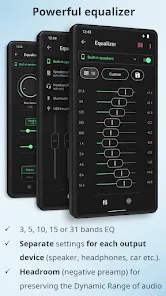
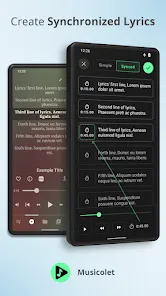
In an age of streaming algorithms and mandatory online connections, there's a profound joy in owning your music and having a player that respects your collection with uncompromising simplicity and power. Musicolet Music Player stands out as a gem in the world of audio apps, offering a fully offline, ad-free, and feature-rich experience that puts you in absolute control. This player is built for those who cherish their carefully curated libraries, supporting a wide range of formats without demanding a single permission or internet connection. With its intuitive interface and unique capabilities like multiple queues, Musicolet isn't just a music player—it's a personal jukebox that works exactly how you want, where you want, completely on your terms.
Key Features That Make a Difference
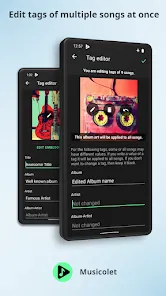
- A powerful, built-in tag editor that lets you edit song metadata like title, artist, and album directly within the app.
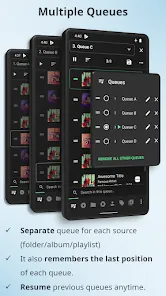
- Multiple, independent queues that you can save and manage, allowing for incredible flexibility in playlist management.
- No permissions required and 100% offline functionality, ensuring your privacy and music are always accessible.
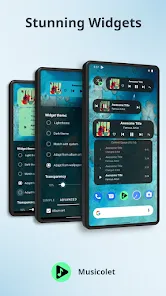
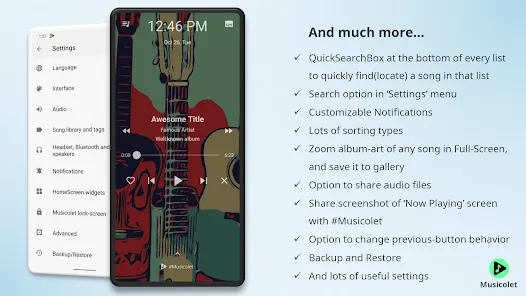
- An intuitive user interface with customizable widgets, gestures, and a sleep timer for a seamless listening experience.
Who Is This App For?
- Audiophiles and music collectors with large local libraries who value sound quality and organizational control.
- Users who prioritize privacy and want a music player that doesn't require an internet connection or any personal data.
- Anyone frustrated with ads, bloated features, and complex interfaces in other music player apps.
- Listeners who want advanced features like multiple queues and tag editing without sacrificing simplicity.
How to Use
- Click “Check All Versions” below to download and install Musicolet Music Player on your device or browser.
- Open the app—it will automatically scan and display all the music files stored on your device.
- Browse your library by songs, albums, artists, genres, or folders using the simple bottom navigation.
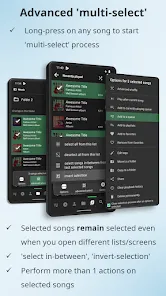
- Long-press on any song to add it to a queue, create a new playlist, or edit its tags directly.
- Use the "Queues" feature to manage different listening sessions, jumping between your workout mix and relaxing playlist effortlessly.


 0
0 


