

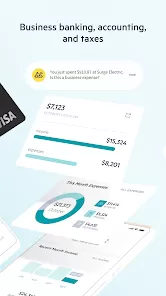
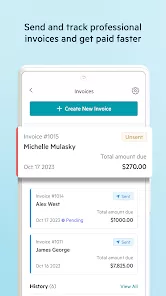
Lili Banking for Your Business is a smart, all-in-one mobile banking app designed to simplify money management for freelancers, entrepreneurs, and small business owners. It combines traditional banking features with modern financial tools, helping users manage expenses, track income, save for taxes, and streamline their business finances—all from one intuitive platform. Built with the flexibility and speed that self-employed professionals need, Lili empowers users to stay on top of their finances and make better business decisions in real time.
Key Features
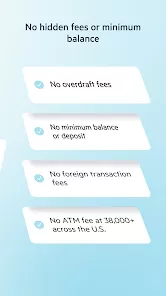
- Business checking account with no hidden fees and no minimum balance requirements.
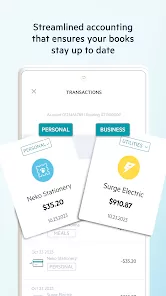
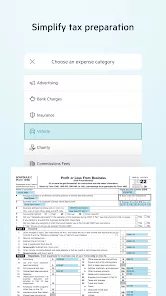
- Automatic expense categorization for tax reporting and budgeting.
- Integrated tax tools to automatically set aside money for quarterly tax payments.
- Real-time income and spending insights to help manage cash flow.
- Instant payment alerts and mobile check deposit for easy money management.
- Fee-free ATM access through a wide national network.
- Visa® Business Debit Card for secure and convenient purchases.
- Early direct deposit to get paid up to two days faster.
Why Users Love It
- Designed specifically for freelancers and small business owners.
- Combines banking, bookkeeping, and tax tools in one place.
- Helps users save time and money by automating expense tracking and budgeting.
- Provides real-time visibility into financial health and cash flow.
- Eliminates the hassle of traditional banking with a fully mobile experience.
Who It’s Best For
- Freelancers and gig workers looking for an easy way to manage income and taxes.
- Entrepreneurs running small or solo businesses without a dedicated accountant.
- Independent contractors who need to separate personal and business finances.
- Business owners who want early access to funds and real-time expense tracking.
- Anyone seeking a modern, fee-free banking solution built for mobile use.
Smart Usage Tips
- Enable automatic expense categorization to simplify tax preparation.
- Set up direct deposit to get paid faster and access your funds sooner.
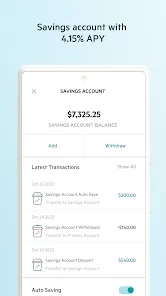
- Use the built-in savings feature to automatically set aside money for taxes or goals.
- Monitor spending patterns in the Insights tab to make informed business decisions.
- Link your debit card to digital wallets for secure, contactless payments.
Troubleshooting & Support
- If you can’t log in, verify your credentials and check for app updates.
- Ensure your device has a stable internet connection for smooth transactions.
- Contact Lili’s customer support through in-app chat for account or technical issues.
- Use the “Help” section for FAQs, card replacement, and dispute resolution.
- Reinstall the app if you encounter performance or notification problems.
How to Use
- Click the button “Check All Versions” below to download and install Lili Banking for Your Business on your device or browser.
- Sign up using your business or freelance information to create an account.
- Link your income sources or payment platforms for seamless deposits.
- Start categorizing expenses and tracking your financial activity in real time.
- Use the tax and savings tools to automatically manage your funds efficiently.
- Monitor your transactions and insights to optimize your business cash flow.
Final Thoughts
- Lili Banking for Your Business offers a forward-thinking solution for freelancers and entrepreneurs.
- By combining mobile banking with smart tax and budgeting tools, it streamlines business finance management.
- Its user-friendly design and real-time insights help users take control of their financial future with confidence.


 0
0