ADVERTORIAL
What is KakaoTalk : Messenger App?
KakaoTalk : Messenger is a versatile messaging application developed by the South Korean company Kakao Corporation. Launched in 2010, it has rapidly grown in popularity, particularly in South Korea, where it has become an integral part of daily communication. KakaoTalk : Messenger allows users to send text messages, make voice and video calls, share multimedia content, and utilize various features tailored to enhance social interaction. Its user-friendly interface and comprehensive functionalities make it a preferred choice for individuals and businesses alike, fostering a seamless communication experience.
Features of KakaoTalk : Messenger
- Free Messaging and Calls: Users can send unlimited text messages and make voice and video calls without incurring charges, provided they have internet access.
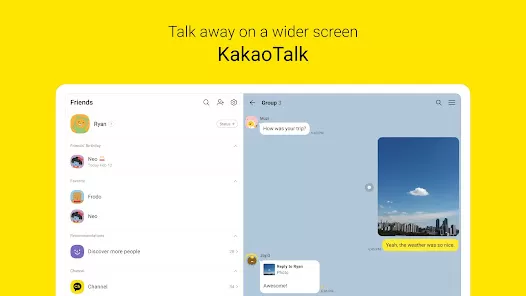
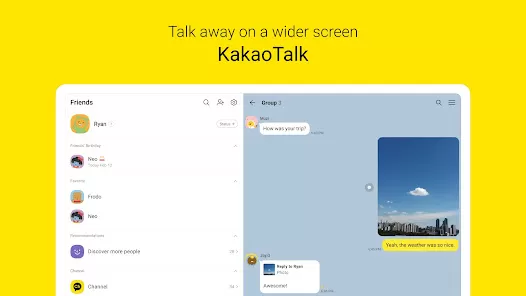
- Group Chats: The app supports group messaging, allowing multiple users to communicate simultaneously, which is ideal for families, friends, and workgroups.
- Multimedia Sharing: Users can easily share photos, videos, voice notes, and files within chats, enhancing interactions.
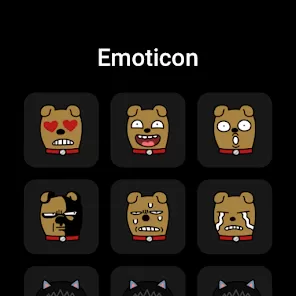
- Stickers and Emojis: KakaoTalk : Messenger offers a wide range of fun stickers and emojis, enabling users to express themselves more creatively and engagingly.
- KakaoStory Integration: Users can connect their KakaoTalk : Messenger account with KakaoStory, a social media platform, to share updates and stories with friends.
- KakaoPay: This feature allows users to make secure financial transactions, such as sending money and making payments, directly through the app.
- Personalization Options: Users can customize their chat backgrounds, notification sounds, and themes to create a personalized experience.
- KakaoTalk : Messenger Friends: This feature allows users to follow brands, celebrities, and influencers, receiving updates and promotions directly through the app.
Pros and Cons of KakaoTalk : Messenger
Pros:
- Cost-Effective: KakaoTalk : Messenger is free to use for messaging and calls, making it an economical choice for users.
- User-Friendly Interface: The app is designed with simplicity in mind, allowing users of all ages to navigate effortlessly.
- Robust Features: With features like multimedia sharing, group chats, and integration with other Kakao services, the app provides a comprehensive communication platform.
- Regular Updates: KakaoTalk : Messenger frequently updates its features and security protocols, ensuring a reliable user experience.
- Strong Community: Particularly in South Korea, KakaoTalk : Messenger boasts a vast user base, making it easier to connect with friends and family.
Cons:
- Privacy Concerns: Like many messaging apps, KakaoTalk : Messenger has faced scrutiny over its privacy policies and data security, raising concerns among users.
- Regional Limitations: While popular in South Korea, its global reach is not as extensive as other messaging apps like WhatsApp or Facebook Messenger.
- Dependency on Internet Connection: KakaoTalk : Messenger requires a stable internet connection, which may limit usage in areas with poor connectivity.
- Storage Space: The app can consume significant storage space, especially with multimedia content shared in chats.
Functions of KakaoTalk : Messenger
- Text Messaging: Users can send and receive text messages in real-time, facilitating instant communication.
- Voice and Video Calls: KakaoTalk : Messenger allows for high-quality voice and video calls, supporting both one-on-one and group calls.
- File Sharing: Users can share various file types, including images, videos, and documents, making it suitable for both personal and professional use.
- Voice Notes: Users can send quick voice messages, allowing for more personalized communication.
- Location Sharing: The app enables users to share their location with friends, making it easier to coordinate meetups.
- Event Creation: Users can create and manage events within the app, inviting friends and family to participate.
- Business Features: KakaoTalk : Messenger offers specialized features for businesses, including customer service tools and promotional messaging.
How to Use the KakaoTalk : Messenger App?
1. Download and Install: Begin by downloading KakaoTalk : Messenger from the Google Play Store or Apple App Store. After installation, open the app.
2. Sign Up: Create an account by providing your phone number. You’ll receive a verification code via SMS to confirm your registration.
3. Set Up Your Profile: Personalize your profile by adding a profile picture and a status message to let friends know what you’re up to.
4. Add Contacts: Sync your contacts to find friends who are already using KakaoTalk : Messenger. You can also search for friends by their KakaoTalk : Messenger ID.
5. Start Chatting: Begin sending messages by selecting a contact and typing your message. You can also initiate voice or video calls from the chat interface.
6. Explore Features: Familiarize yourself with additional features like stickers, multimedia sharing, and group chats. Use the navigation bar to access different functionalities.
7. Stay Updated: Regularly check for updates to ensure you have the latest features and security enhancements.

























 0
0 


