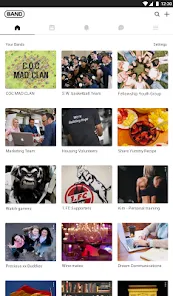
BAND - App for all groups

  •  4.4
  • Verified Safety

ADVERTORIAL

From managing a sports team and organizing a volunteer group to coordinating with family or planning a trip with friends, group communication often devolves into a chaotic mix of texts, emails, and lost files. BAND steps in as a dedicated, all-in-one app designed to bring order to this chaos. It's more than just a messaging platform; it's a private digital hub where groups can communicate, schedule events, share files, poll members, and manage tasks—all within dedicated, organized spaces. By centralizing every aspect of group life, BAND aims to make collaboration simpler, more efficient, and significantly less fragmented.

Core Group Management Features

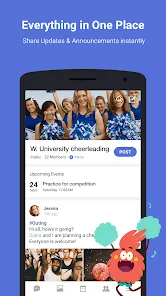
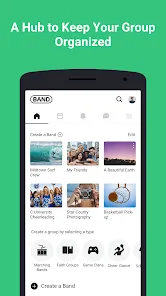
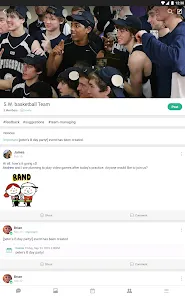
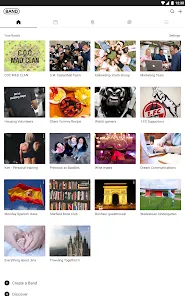
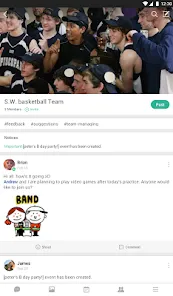
  • Dedicated Group Spaces (Bands): Create private, invite-only groups called "Bands." Each Band has its own wall for posts, a shared calendar, photo/video albums, a polls feature, and group chat.
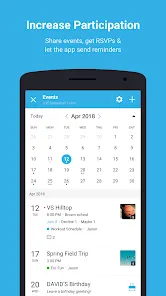
  • Unified Shared Calendar & RSVP: Schedule events, practices, meetings, or deadlines on the group calendar. Members can RSVP directly, providing instant headcounts and reminders.
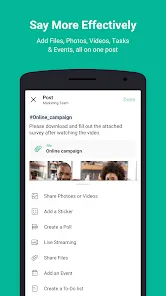
  • Integrated File & Photo Library: Upload and store important documents, photos, and videos in categorized folders within the Band. Files are easily searchable and don't get buried in chat history.
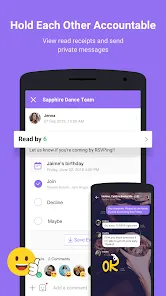
  • Announcements & Polls: Make important announcements that send notifications to all members. Use the polling feature to quickly gather opinions, make decisions, or vote on options.
  • Group Chat & Subgroup Channels: Host a main group chat for everyone, and create separate sub-channels for specific topics (e.g., "Finance," "Logistics," "Social Plans") to keep conversations focused.

The Group Experience

  • Eliminates Communication Silos: Stops the frustration of information being scattered across multiple apps. Everything the group needs is in one searchable, permanent location.
  • Reduces Notification Overload: By separating announcements, chats, and polls into different features, members can customize their notifications, receiving only the alerts that are truly important to them.
  • Builds a Lasting Group Archive: Creates a living archive of the group's history—photos from events, minutes from meetings, important documents—that's invaluable for new members and long-term planning.
  • Highly Adaptable to Any Group Type: Its flexible toolset works equally well for a soccer team's practice schedule, a PTA's volunteer sign-ups, a book club's discussion, or a family's holiday planning.
  • Respects Privacy & Boundaries: As a closed, invite-only platform, it keeps group discussions private and separate from personal social media feeds and contacts.

How to Use BAND

Setting up your first group space is intuitive. Follow these steps to create a Band and invite members.

  • Click “Check All Versions” below to download and install BAND - App for all groups on your device or browser.
  • Open the app and create an account. Tap the "+" icon to "Create a Band." Give it a name, description, and cover photo.
  • Invite members by sharing a link, sending an email, or adding contacts directly. You can assign different roles (Admin, Member) for management.
  • Start by making a welcome post on the Band's main wall. Then, create your first event on the shared Calendar and ask members to RSVP.
  • Upload any foundational documents or photos to the Albums or Files section. Create a poll to gauge interest for an upcoming activity.
  • Use the group Chat for casual conversation and create specific sub-channels in the Chat tab to organize discussions by topic.

ADVERTORIAL

Similar Apps
  • 登录
社交账号登录