

















Fishbowl: Professional Network

  •  3.1
  • Verified Safety

ADVERTORIAL

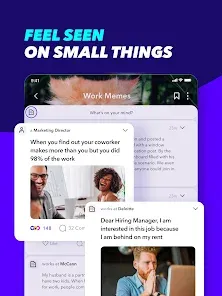
Navigating the professional world often requires more than just a polished resume on a traditional networking site; it requires genuine conversations, anonymous insights, and niche communities. Fishbowl: Professional Network fills this gap by creating a unique, app-based space where professionals can connect authentically within their industries. Designed as a hybrid between a anonymous forum and a professional network, it allows users to join "bowls" (communities) specific to their company, industry, or interests to ask questions, share advice, discuss workplace trends, and even explore job opportunities—often with a level of candor that larger, more public platforms don't facilitate. It's a digital watercooler for the modern professional.

Authentic, Community-Driven Conversations

Fishbowl's core appeal is its focus on fostering real dialogue within verified professional circles.

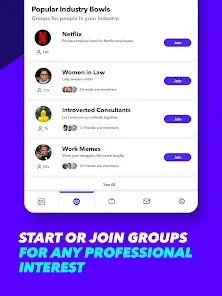
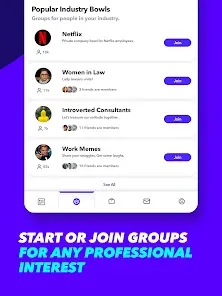
  • Company & Industry-Specific "Bowls": Join private communities for your current employer, past companies, or broader industry groups (e.g., "Consulting," "Tech," "Marketing"). This creates a relevant and trusted environment.
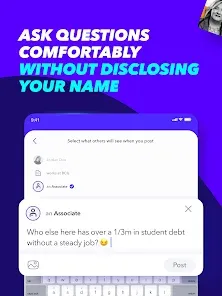
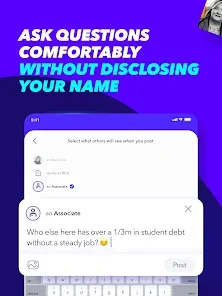
  • Dual Posting Modes – Anonymous & Public: Choose to post under your verified professional identity or anonymously. Anonymity empowers users to ask sensitive career questions, share workplace frustrations, or seek honest feedback without fear of repercussion.
  • Q&A, Polls, & Discussion Threads: Engage in various formats: ask for advice on a tough client, participate in polls about industry salaries or remote work, or discuss the latest trends affecting your field.
  • Job Listings & Referrals: Many companies and recruiters post job openings directly within relevant bowls. Employees can also refer candidates from within their network, often with referral bonuses attached.

Features for Career Growth & Insight

The platform provides tools that go beyond social networking to offer tangible professional value.

  • Salary Sharing & Compensation Insights: Participate in anonymous salary sharing threads specific to your role, company, and location, providing transparent market data that is often hard to find elsewhere.
  • Interview Question Banks: Access crowdsourced interview questions and experiences for specific companies and roles, helping candidates prepare more effectively for their next opportunity.
  • Professional Identity Verification: Users verify their employment via company email or LinkedIn, which helps maintain a higher quality of discourse and reduces spam compared to completely open forums.
  • Direct Messaging & Networking: Connect directly with other professionals in your bowls, including recruiters and hiring managers, to expand your network in a more targeted way.
  • Content & Advice from Industry Leaders: Follow thought leaders and influencers within your industry who share insights, articles, and host AMA (Ask Me Anything) sessions directly on the platform.

How to Use Fishbowl: Professional Network

Joining the conversation and building your professional presence is a guided process. Here's how to dive in.

  • Click the button “Check All Versions” below to download and install Fishbowl: Professional Network on your device or browser.
  • Create Your Profile & Verify: Sign up with your LinkedIn or work email to verify your professional identity. Build out your profile with your current role and industry.
  • Join Relevant "Bowls": The app will suggest bowls based on your profile. Join your company bowl, your industry bowl, and any interest-based communities (e.g., "Remote Work," "Working Parents").
  • Start Engaging: Begin by browsing discussions in your bowls. Post a question (anonymously or publicly), answer someone else's query, or participate in a poll to get a feel for the community.
  • Utilize Job & Research Tools: Explore the "Jobs" tab for opportunities. Use the search function to find threads about specific companies for interview prep or to research salary benchmarks before a negotiation.

ADVERTORIAL

Similar Apps
  • 登录
社交账号登录