Whether you're tracking a road trip, testing your vehicle's performance, or ensuring you stay within speed limits, having precise, real-time data at your fingertips is invaluable. GPS Speedometer and Odometer (Pro) transforms your smartphone into a high-tech dashboard instrument, using satellite positioning to deliver accurate speed, distance, and navigation metrics. This professional-grade tool goes beyond your car's built-in dials, offering customizable displays, trip logging, and advanced features for enthusiasts and professionals alike. It's the ultimate digital co-pilot for anyone who wants detailed insight into their journey, from everyday commutes to specialized outdoor adventures.
Core Features of a Professional Digital Dashboard
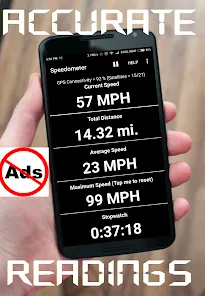
- High-Precision GPS Speed & Altitude: Display your current, average, and maximum speed with high accuracy using GPS/GLONASS satellite data, along with real-time altitude.
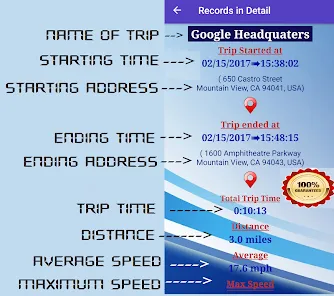
- Comprehensive Trip Logging & Odometer: Track total distance traveled for a trip (trip odometer) and overall distance (total odometer). Log journeys with start/end times, duration, and route mapping.
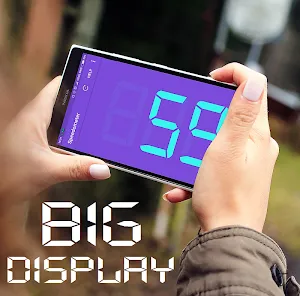
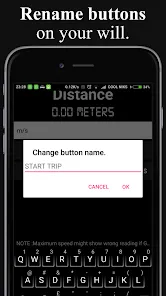
- Fully Customizable Interface: Choose from analog dials, digital readouts, or minimalist displays. Customize colors, units (mph/km/h), and which data fields (like speed, heading, ETA) are visible.
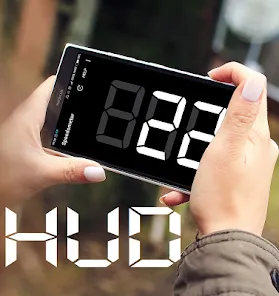
- Speed Limit Alerts & Heads-Up Display (HUD): Set audible or visual alerts if you exceed a preset speed limit. Use "HUD Mode" to project speed and data onto your windshield for night driving.
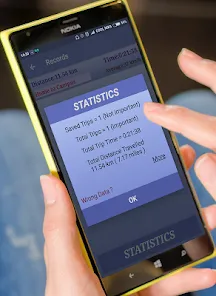
- Advanced Metrics & Export: Access detailed stats like average moving speed, top speed, trip fuel cost (if configured), and export your trip logs as GPX files or CSV reports for further analysis.
Who Is This App For?
- Drivers, motorcyclists, and cyclists who want a precise, secondary speedometer to verify their vehicle's built-in gauges.
- Road trip enthusiasts and travelers who enjoy logging journey statistics like total distance, travel time, and route elevation.
- Performance drivers, motorsport fans, or anyone testing a vehicle who needs to track metrics like 0-60 acceleration or top speed.
- Outdoor adventurers (hikers, boaters, pilots) who need reliable speed and location data in environments without traditional instrumentation.
How to Use GPS Speedometer and Odometer (Pro)
- Click “Check All Versions” below to download and install GPS Speedometer and Odometer (Pro) on your device or browser.
- Open the app and ensure your device's location/GPS services are enabled for maximum accuracy. Mount your phone securely in your vehicle for safe viewing.
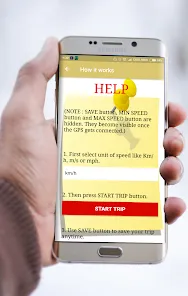
- Before starting your trip, go to settings to select your preferred units (mph/km/h), configure speed alerts, and customize the main display layout.
- Tap "Start" or "Begin Trip" to commence logging. Drive as normal—the app will track speed, distance, and time automatically.
- At your destination, stop the trip log. Review the summary statistics, save the log with notes if desired, and use the export function to share or archive the data.

 0
0