
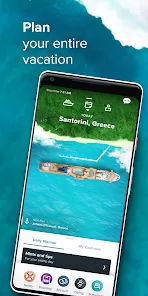
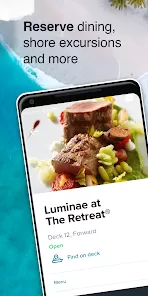
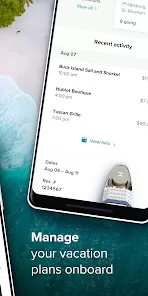
Embarking on a Celebrity Cruises vacation is an invitation to modern luxury and unforgettable exploration. The Celebrity Cruises app enhances this premium experience by serving as your personal digital concierge throughout your journey. From the initial planning stages to the moment you disembark, it consolidates your itinerary, allows for easy booking of excursions and dining, and keeps you informed with daily schedules—all designed to streamline your vacation so you can focus on relaxation and discovery.
Key Features for Your Cruise
- Pre-Cruise Planning & Online Check-In: Complete your check-in, access your Express Pass, and book shore excursions, beverage packages, specialty dining, and spa treatments before you sail.
- Daily Onboard Planner & Activity Schedule: Once onboard, view the full daily schedule ("Celebrity Today"). Book last-minute activities, shore excursions, and make dining reservations.
- Interactive Ship Maps & Wayfinding: Find your way around the ship with interactive deck plans and get directions to restaurants, lounges, or your stateroom.
- Onboard Account & Messaging: Monitor your onboard spending account in real-time. Message other guests in your travel party for free through the app to stay connected.
- Exclusive Offers & Menus: Receive notifications about special onboard events and offers. Browse restaurant menus and wine lists in advance.
Who Is the Celebrity Cruises App For?
- Past, present, and future Celebrity Cruises guests planning or currently on a sailing.
- Cruisers who prefer a digital, paperless experience to manage their vacation details.
- Families and groups who want an easy way to coordinate plans and communicate while onboard.
- Travelers who appreciate having their daily schedule, reservations, and account information consolidated in one place.
How to Use the Celebrity Cruises App
- Click “Check All Versions” below to download and install the Celebrity Cruises app on your device well before your cruise.
- Open the app and log in with your Celebrity Cruises account details. You'll see your upcoming booking.
- Before sailing, use the app to complete online check-in, book excursions, and make dining reservations.
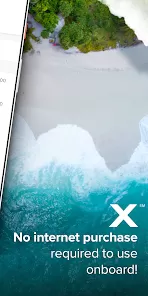
- Once onboard, connect to the ship's Wi-Fi (no internet package required for the app's core functions). Your personalized schedule and plans will sync.
- Use the app daily to plan your activities, message your party, check your account, and explore everything your ship has to offer.


 0
0