

In a world filled with overwhelming noise, having control over what you hear can transform your daily experience. Bose Hear is a unique hearing enhancement app designed to give you personalized control over your listening environment, not for music, but for life. Using Bose noise-masking technology, it helps amplify the sounds you want to hear—like conversations in a busy restaurant—while subtly reducing distracting background noise. Whether you're in a crowded cafe, watching TV at a lower volume, or needing a little extra clarity in quiet settings, Bose Hear acts as a discreet, powerful tool to make every listening moment clearer and more comfortable.
Core Features for Personalized Listening
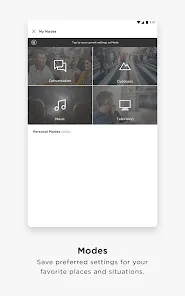
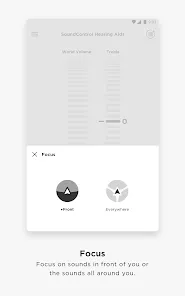
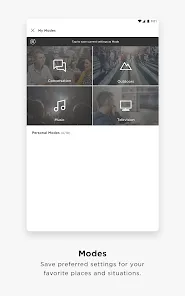
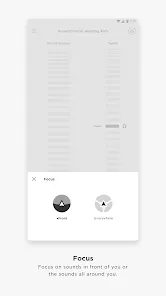
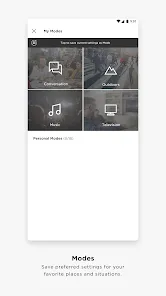
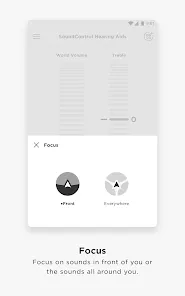
- Focus & Noise Control Modes: Choose from preset modes like "Focus" to reduce background noise in loud settings or "Conversation" to amplify speech frequencies, making it easier to understand people around you.
- Fully Customizable Sound Profile: Use a simple hearing test within the app to create a personalized sound profile that tailors amplification to your unique hearing sensitivities.
- Discreet, Phone-Based Operation: The app uses your smartphone's microphone and headphones (Bose or other wired/wireless models) to process sound in real time, offering a low-profile alternative to traditional devices.
- Portable & On-Demand Assistance: Unlike static hearing aids, you can use the app anytime you need extra clarity—during a meeting, at a social event, or while watching a film—and turn it off when you don't.
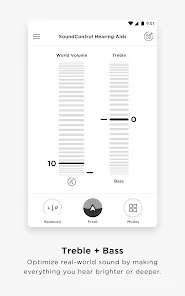
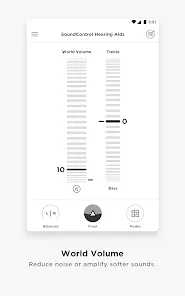
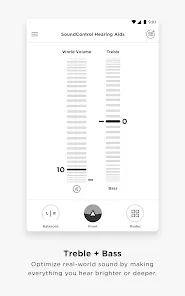
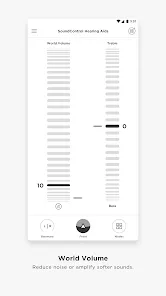
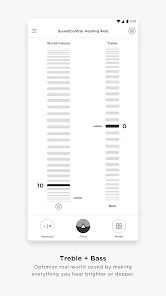
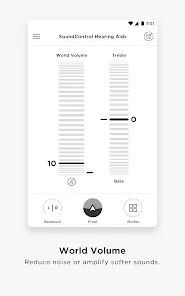
- Easy-to-Use Interface: Adjust volume and toggle between modes with a simple, intuitive slider and button controls designed for quick adjustments in any situation.
Who Is Bose Hear For?
- Individuals with mild hearing challenges or age-related hearing loss who want situational assistance without committing to hearing aids.
- Anyone who struggles to follow conversations in noisy environments like restaurants, parties, or conferences.
- People who want to watch TV or listen to podcasts at a volume that's comfortable for others in the room.
- Those curious about hearing enhancement technology and wanting to explore a software-based solution first.
How to Use Bose Hear
- Click “Check All Versions” below to download and install Bose Hear on your device or browser.
- Open the app and follow the initial setup to create your personalized hearing profile through a brief listening test.
- Connect your preferred headphones (wired or Bluetooth) to your phone. For best results, use headphones that allow external sound to pass through the microphone.
- Choose a listening mode (e.g., "Conversation," "Focus") based on your environment. Use the volume slider to adjust the level of enhancement to a comfortable level.
- Use the app discreetly in your target situation. You can quickly pause or adjust settings directly from the app or a widget on your phone's home screen.


 0
0 


