
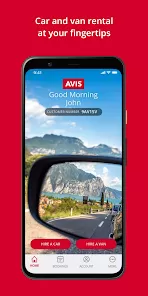
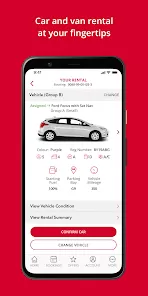
Whether you're embarking on a long-awaited family vacation, heading out on a crucial business trip, or simply need a reliable vehicle for your weekend errands, the process of renting a car should be simple, transparent, and stress-free. The Avis Car Hire app puts the power of one of the world's most trusted car rental companies directly in your pocket, streamlining the entire experience from search to return. It’s designed to save you time at the counter, give you control over your rental, and provide peace of mind on the road, transforming a typically tedious task into a seamless part of your journey.
Key Features and Travel Benefits
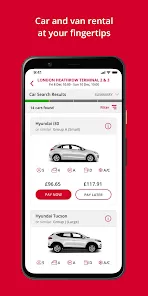
- Effortless Booking and Reservation Management: Search for vehicles, compare options, and book your rental in just a few taps. Easily view, modify, or cancel upcoming reservations directly within the app.
- Exclusive Mobile-Only Offers: Get access to special deals, discounts, and promotions available only to app users, ensuring you get the best possible rate for your rental.
- Avis Speedy Skip Counter Service: Bypass the rental counter entirely! For eligible bookings, you can go straight to your car in the Avis lot, using the app to complete the rental agreement and unlock the vehicle.
- Digital Rental Agreement and Checkout: Review and sign your rental agreement digitally before you even arrive at the location. When returning, use the app for a quick and easy checkout process.
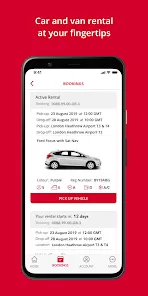
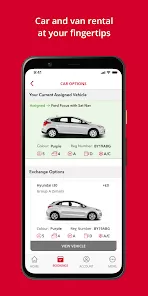
- Trip Details and Vehicle Information: Store all your rental details, including confirmation number, car location, and vehicle features, in one convenient place. Access directions back to the rental facility and receive return reminders.
Who Is the Avis App For?
- Frequent Business Travelers: Professionals who value efficiency and need to minimize time spent at the rental counter between flights and meetings.
- Family Vacation Planners: Travelers who want to secure the perfect vehicle for their trip ahead of time and manage their reservation with ease.
- Last-Minute Renters: Anyone who needs a car quickly can use the app to find available vehicles nearby and book instantly.
- Tech-Savvy Customers: Travelers who prefer a fully digital, contactless experience for all aspects of their journey, from flights to car rentals.
How to Rent with Ease
- Click the button “Check All Versions” below to download and install the Avis Car Hire app on your device.
- Open the app and enter your pickup location, dates, and times to browse available vehicles and prices.
- Select your car and any additional options (like GPS or child seats), then proceed to book your reservation securely.
- Before your trip, complete the pre-arrival check-in in the app to expedite your pickup, especially if you are using the Speedy Skip service.
- Upon return, use the app's checkout feature to end your rental agreement quickly and receive your final receipt via email.


 0
0