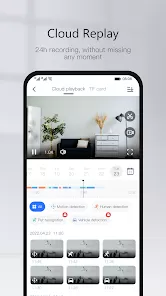
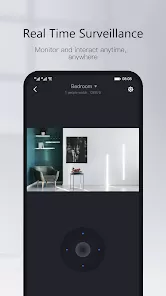
Yoosee is a smart home surveillance app that allows users to monitor and control their security cameras and devices in real time. With live streaming, motion detection alerts, and remote playback, the app provides a comprehensive solution for keeping homes, offices, or other spaces secure. Yoosee supports multiple cameras, cloud storage, and easy sharing, making it simple to manage your security system from anywhere using a smartphone or tablet. Its intuitive interface and reliable performance make it a popular choice for anyone looking to enhance their home security setup.
Overview
- Smart home surveillance app for monitoring security cameras and devices.
- Live streaming, motion detection, and remote playback for real-time monitoring.
- Designed for homeowners, businesses, and anyone seeking enhanced security.
Key Features
- Live video streaming from multiple cameras with real-time monitoring.
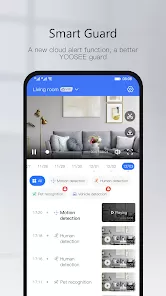
- Motion detection alerts and notifications for immediate awareness of events.
- Remote playback to review recorded footage anytime.
- Cloud storage and local storage options for secure video archiving.
- Two-way audio for communication through compatible cameras.
- Easy camera sharing with family or authorized users for collaborative monitoring.
Design and Usability
- Intuitive interface with quick access to live feeds, playback, and device settings.
- Clear and responsive video display optimized for mobile devices.
- Simple setup for adding new cameras and devices to the app.
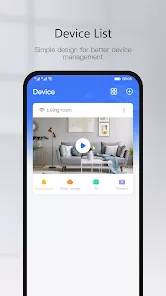
- Organized dashboard for managing multiple cameras efficiently.
Advanced Tools
- Customizable motion detection zones and sensitivity levels.
- Scheduling options for recording or notifications based on specific times.
- Integration with smart home systems for enhanced automation.
- Secure login and permissions to protect access to surveillance feeds.
Who It’s For
- Homeowners and renters looking to monitor and protect their property.
- Small business owners managing office or storefront security.
- Families or individuals who want real-time notifications and remote access to cameras.
- Anyone seeking a reliable and easy-to-use smart home surveillance solution.
How to Use
- Click the button “Check All Versions” below to download and install Yoosee on your device or browser.
- Open the app and create an account to access your cameras.
- Add cameras or devices by following the on-screen setup instructions.
- Monitor live video feeds and receive motion detection alerts in real time.
- Use remote playback to review previously recorded footage.
- Share camera access with family or authorized users if needed.
- Customize settings, schedules, and notifications for personalized security monitoring.


 0
0