YI IoT is a smart home app that allows users to remotely monitor and manage YI smart cameras and security devices. The app provides live video streaming, motion detection alerts, and cloud or local storage options, making it convenient to keep an eye on your home, office, or other spaces. With real-time notifications, two-way audio, and easy device setup, YI IoT enhances home security and gives users peace of mind. The app is available on both iOS and Android devices and integrates seamlessly with multiple YI smart products.
Key Features
- Live video streaming from YI smart cameras.
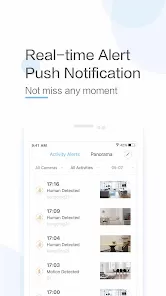
- Motion and sound detection with instant notifications.
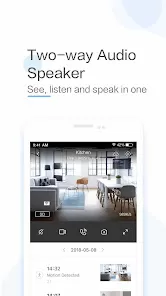
- Two-way audio communication with connected devices.
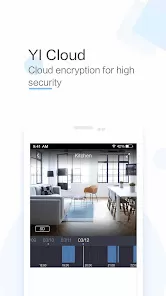
- Cloud and local storage options for recorded footage.
- Easy device setup and management through the app.
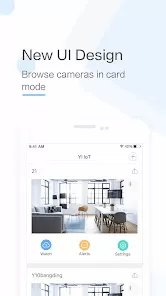
- Support for multiple cameras and devices under one account.
- Playback and review of recorded events with timestamps.
Functions
- Monitor live video feeds remotely from your smartphone or tablet.
- Receive alerts when motion or sound is detected.
- Communicate through two-way audio with visitors or pets.
- Record and store video clips in the cloud or on SD cards.
- Manage multiple YI devices and cameras from a single app.
- Review past footage and export videos if needed.
- Customize alert sensitivity and notification preferences.
Pros
- Easy setup and intuitive interface for all users.
- Reliable live streaming and motion detection alerts.
- Supports multiple devices and remote monitoring.
- Two-way audio adds convenience and security.
- Cloud and local storage provide flexible recording options.
Cons
- Cloud storage requires subscription for extended retention.
- Video quality may vary depending on network speed.
- Some features may be limited on older devices.
- Notifications can be frequent if sensitivity is set too high.
How to Use YI IoT
- Click the "Check All Versions" button below to download and install the YI IoT app.
- Open the app and create a free account or sign in with an existing account.
- Add your YI devices by following the in-app setup instructions.
- Access live video feeds from your connected cameras.
- Enable motion or sound detection and configure notification preferences.
- Use two-way audio to communicate through the cameras.
- Review recorded footage in the cloud or on local storage, and export clips if needed.


 0
0