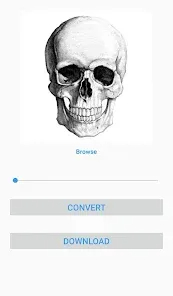
In the world of tattoo artistry, where precision and personal expression intersect, the process of transferring a design from concept to skin represents one of the most crucial steps in creating lasting body art. Welcome to the innovative category of tattoo stencil applications, where digital technology meets traditional tattoo craftsmanship to revolutionize how artists prepare and apply their designs. Unlike generic drawing apps not tailored to tattoo-specific needs, these specialized applications provide tools specifically designed for creating, refining, and transferring tattoo designs with accuracy and efficiency. It's more than just digital sketching; it's a comprehensive design workstation that allows artists to trace photographs, perfect line work, experiment with placements, and create symmetrical designs—all while maintaining the integrity of their artistic vision. Whether you're a professional tattoo artist streamlining your consultation process, an apprentice honing your skills, or someone considering their first tattoo and wanting to visualize possibilities, tattoo stencil apps provide the bridge between imagination and permanent ink with unprecedented flexibility and precision.
What Makes Tattoo Stencil Applications Transformative for Artists?
- Advanced Tracing and Vector Tools: Convert photographs, existing artwork, or freehand sketches into clean, tattoo-ready line work with specialized tracing features that maintain image quality at any scale.
- Body Placement Visualization: Use augmented reality features or body template overlays to preview how designs will look on specific body parts, helping clients make informed decisions about size and placement.
- Symmetry and Pattern Creation: Utilize symmetry tools, pattern brushes, and duplication features to create perfectly balanced designs, mandalas, and repetitive elements with mathematical precision.
- Professional Stencil Preparation: Optimize designs for thermal copiers or regular printers with adjustable line thickness, contrast enhancement, and stencil-specific formatting options.
Who Benefits from Tattoo Stencil Applications?
- Professional Tattoo Artists: Established artists looking to streamline their design process, create more accurate stencils, and enhance client consultations with visual previews.
- Tattoo Apprentices and Students: Those learning the craft who need practice with design creation, line work refinement, and understanding how drawings translate to skin.
- Clients Considering Tattoos: Individuals who want to experiment with design ideas, visualize placements, and communicate their vision more effectively with their chosen artist.
- Body Art Enthusiasts and Designers: People who enjoy creating tattoo concepts as an art form, even if they don't plan to apply them immediately.
How to Begin Using Tattoo Stencil Applications
- Click "Check All Versions" below to download and install your preferred tattoo stencil application on your device or browser.
- Familiarize Yourself with the Interface: Explore the drawing tools, layers panel, and specialized features like symmetry guides and tracing options.
- Start with Basic Tracing Exercises: Practice converting existing images into clean line work to understand how the tracing tools respond to different types of source material.
- Experiment with Placement Features: Use body templates or AR features to understand how different designs work on various body contours and skin surfaces.
- Learn Stencil Export Options: Understand how to prepare your digital designs for physical stencil creation, whether through printing, thermal copiers, or other transfer methods.


 0
0