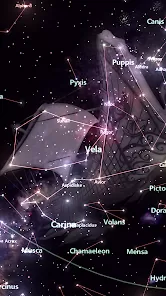
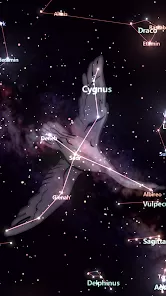
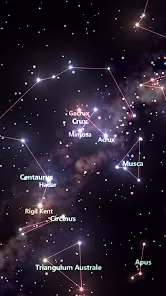
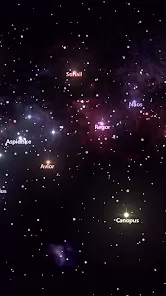
Have you ever gazed up at a starry night sky, filled with wonder, and wished you could instantly name that bright star, identify the passing satellite, or locate a distant planet? Star Tracker is designed to be your personal planetarium, a breathtaking mobile sky map app that uses augmented reality (AR) to overlay the names and illustrations of stars, constellations, planets, and satellites directly onto the live view from your camera. Whether you're an amateur astronomer, a curious camper, or simply someone who finds peace in stargazing, this app demystifies the cosmos with a simple point of your phone. It’s more than just a reference guide; it's a magical window to the universe, thoughtfully engineered to be both scientifically accurate and effortlessly intuitive, transforming any night under the stars into an educational and awe-inspiring journey.
Core Features That Make a Difference
- Augmented Reality (AR) Live Sky View: Simply point your device at the sky, and the app will identify and label celestial objects in real-time, creating an interactive map over the live camera feed.
- Comprehensive & Accurate Celestial Database: Access information on over 8,000 stars, 88 constellations, planets of our solar system, deep-sky objects, and man-made satellites like the International Space Station (ISS).
- Time Travel & Location Simulation: Explore what the sky looked like in the past or will look like in the future. View the sky from any location on Earth, perfect for planning observations or learning about different hemispheres.
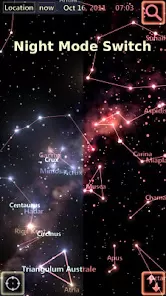
- Night Mode & Social Sharing: Activate a red night-vision mode to preserve your dark adaptation while observing. Capture and share stunning images of the AR sky view with friends.
- Educational Content & Mythology: Dive deeper with detailed information pages for each object, including mythology behind constellation names, scientific data, and fascinating facts.
Who Is This App For?
- Amateur astronomers and stargazers of all levels who want to quickly identify what they see in the night sky.
- Families, educators, and students looking for an engaging, interactive tool to learn about astronomy and space.
- Travelers, campers, and outdoor enthusiasts who enjoy connecting with nature and want to enrich their nighttime experiences.
- Photographers interested in astrophotography who need to plan their shots by identifying celestial subjects and their paths.
How to Use Star Tracker - Mobile Sky Map
- Click “Check All Versions” below to download and install Star Tracker - Mobile Sky Map on your device or browser.
- Open the app and grant permissions for camera access and location services. Calibrate by slowly moving your phone in a figure-8 pattern if prompted.
- Point your phone's camera at the sky. The app will automatically align and display the names and outlines of stars, constellations, and planets over the live image.
- Tap on any labeled object (like "Jupiter" or "Orion") to select it. An information panel will appear with details, mythology, and visibility status.
- Use the time controls (usually a clock icon) to fast-forward or rewind the sky. Watch planets move or see what constellations will be visible later tonight.
- Switch to the "Star List" or "Constellation" menu to browse objects manually, or enable notifications to get alerts for special events like ISS flyovers or meteor showers.



 0
0