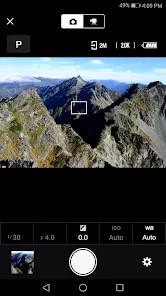
In today's fast-paced digital world, photographers often find themselves caught between capturing stunning images with their professional cameras and the immediate need to share those moments with the world through their smartphones. The traditional process of transferring photos via memory cards, computers, and cables can be time-consuming and cumbersome, causing missed opportunities for timely sharing and social engagement. This is where SnapBridge elegantly bridges the gap between professional photography and instant connectivity. It's not just another camera app—it's Nikon's innovative platform that creates a seamless wireless connection between your compatible camera and smart devices. Whether you're a professional photographer needing to send quick previews to clients, a travel blogger wanting to post real-time updates, or a parent capturing family moments with superior image quality, SnapBridge automatically transfers your photos as you shoot while allowing complete remote control of your camera from your phone. It's like having a professional photography assistant that ensures your best shots are always ready to share the moment you capture them.
Why Photographers Value SnapBridge
- Automatic Photo Transfer: Images automatically sync from your camera to your connected device in your preferred size and quality
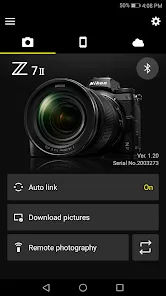
- Remote Camera Control: Operate your camera's shutter, adjust settings, and preview shots directly from your smartphone or tablet
- Automatic Location Tagging: Use your smartphone's GPS to automatically add location data to photos as you shoot
- Always-On Connection: Maintains a constant low-energy Bluetooth connection with automatic Wi-Fi activation for transfers
- Automatic Firmware Updates: Receive and install camera firmware updates directly through the app when available
Core Features That Enhance Photography Workflow
- Two-Way Communication: Both transfer photos to your device and send location data from your phone to your camera
- Multiple Transfer Options: Choose between automatic transfer of all images or manual selection of specific favorites
- Remote Shooting Capability: Compose, focus, and capture photos from your smartphone screen with live view functionality
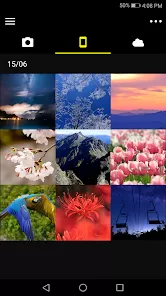
- Image Organization: Automatically sort transferred images by date in your device's photo gallery
- Download Picture Control Settings: Apply custom picture styles and settings to your camera directly from your mobile device
How to Connect Your Workflow with SnapBridge
- Download & Install: Click the button "Check All Versions" below to download and install SnapBridge on your device or browser.
- Enable Camera Bluetooth: Activate Bluetooth connectivity in your compatible Nikon camera's network settings
- Pair Your Devices: Follow the simple pairing process to connect your camera and mobile device for the first time
- Configure Transfer Settings: Choose whether to transfer 2MP preview images or full-resolution originals automatically
- Explore Remote Shooting: Experiment with controlling your camera remotely for group photos or creative angles
- Set Up Auto-Transfer: Enable automatic background transfers so images appear on your device as you shoot
- Utilize Location Tagging: Ensure your phone's location services are active to automatically geotag your photos
- Manage Your Gallery: Use the app to browse images directly on your camera and select specific photos for transfer



 0
0