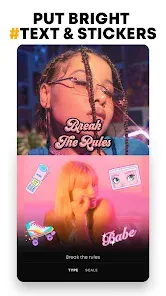
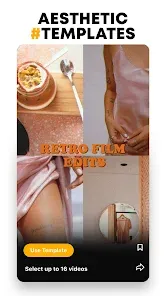
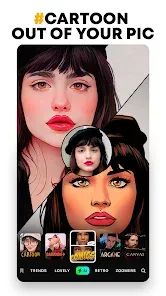
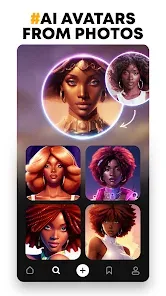
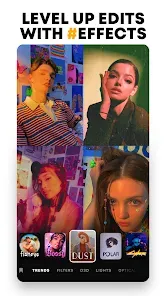
In the age of digital expression, your online avatar is your digital calling card—a visual representation of your personality, mood, and style. Prequel takes this concept to an artistic new level, offering a suite of sophisticated AI-powered filters and editing tools designed to transform your selfies into stunning, gallery-worthy works of art. More than just a photo editor, it's a creative playground where you can apply effects inspired by classic film stocks, nostalgic analog glitches, painterly textures, and ethereal light leaks. With its intuitive interface and powerful AI-driven enhancements, Prequel makes it easy to elevate your photos and videos with a unique, curated aesthetic, ensuring your social media presence is as distinctive and expressive as you are.
Why You'll Create with Prequel: Artistic Flair Made Simple
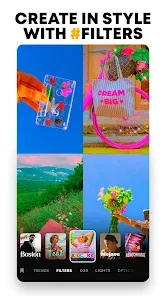
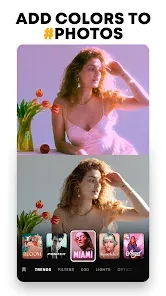
- Curated, High-Quality Aesthetic Filters: Move beyond basic filters. Choose from artist-designed effects that emulate 35mm film, vintage cinema, watercolor paintings, and abstract art, giving your photos a professional, cohesive look.
- AI-Powered Portrait Enhancement Tools: Use smart AI tools to subtly smooth skin, brighten eyes, adjust facial features, and enhance lighting with a natural, non-destructive touch, perfect for crafting the perfect avatar.
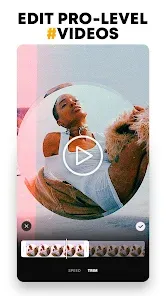
- Dynamic Video Effects & Transitions: Apply the same beautiful filters and glitch effects to your video clips. Create seamless, aesthetic video edits with trending transitions for Stories and Reels.
- Nostalgic Analog & Glitch Art Effects: Access a popular collection of effects that mimic VHS tape distortions, CRT screen static, film burn, and light leaks, perfect for creating a retro or cyberpunk vibe.
- Advanced Editing Control: Don't just apply a filter and hope for the best. Adjust the intensity of every effect, fine-tune colors, add grain, and layer multiple effects to create a completely custom look.
Key Features of the Editor: Your Digital Darkroom
- Extensive Filter & Effect Library: Hundreds of effects sorted into categories like "Film," "Aura," "Y2K," "Drama," and "Editor's Pick," with new packs added regularly.
- AI Portrait Retouch Suite: Tools like "AI Beauty," "Face Reshape," and "AI Lighting" that analyze your photo to make intelligent, customizable enhancements.
- Professional Color & Tone Grading: Manual adjustment tools for curves, color balance, HSL, and selective color to give you granular control over your image's mood.
- Overlays & Textures: Add layers of dust, scratches, gradients, and bokeh light effects to build depth and a tangible, textured feel to your images.
- Collage Maker & Layouts: Create stylish multi-photo collages for your profile or feed using Prequel's trendy templates and layouts that match its aesthetic filters.
How to Create Your First AI Art Avatar: A Step-by-Step Guide
Transforming a simple selfie into a piece of digital art is a quick and creative process. Here's how to start.
- Click the button “Check All Versions” below to download and install Prequel on your device or browser.
- Open the app and tap to import a photo from your gallery or take a new selfie directly within the app. Choose a clear, well-lit photo for the best results.
- Browse the "Effects" tab at the bottom. Scroll through categories. For a classic avatar look, try the "Film" or "Aura" categories. Tap on any effect to preview it instantly on your photo.
- Once you've chosen a base filter, tap the slider icon to adjust its intensity. Then, explore the "Adjust" tab to fine-tune brightness, contrast, and saturation to perfect the look.
- For portrait enhancement, go to the "Beauty" tab. Experiment with the "AI Beauty" and "AI Lighting" tools, using subtle adjustments to enhance your features naturally.
- Add final touches in the "Overlay" tab. Consider adding a subtle "Grain" or "Dust" texture for an analog feel. Save your creation to your camera roll and set it as your new profile picture across platforms.

 0
0