

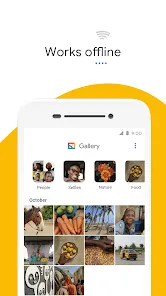

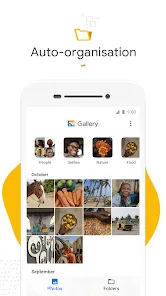

In our visually saturated digital age, where smartphones capture countless moments and memories, having an organized and intuitive way to manage our growing photo collections has become essential. Gallery emerges as the fundamental visual organization tool that transforms scattered images and videos into a curated, accessible visual diary of our lives. This essential application goes beyond simple file storage, offering intelligent organization, editing tools, and sharing capabilities that make your visual memories both secure and readily enjoyable. Whether you're reliving vacation photos, creating albums for special occasions, or simply trying to find that one specific picture amid thousands, Gallery provides the structure and simplicity needed to transform digital chaos into meaningful visual narratives.
Core Features That Organize Visual Memories
- Automatic organization sorting images by date, location, and recognized faces
- Album creation allowing custom collections for events, people, and themes
- Basic editing tools providing cropping, rotation, filters, and enhancement options
- Secure folder functionality protecting sensitive images with PIN or biometric authentication
- Cloud synchronization backing up photos and enabling access across multiple devices
- Search capabilities finding images by location, date, objects, or text within photos
- Memory creation automatically generating collages, animations, and highlight reels
- Sharing integration sending photos directly to social media and messaging apps
- Storage management identifying duplicate and similar images to free up space
- Favorites system quickly accessing your most treasured photographs
Who Relies on Gallery Applications
- Photography enthusiasts organizing extensive collections of captured moments
- Parents documenting children's growth and family milestones
- Travelers cataloging journeys and experiences across locations
- Social media users curating content for sharing across platforms
- Professionals storing visual references and work-related images
- Students keeping visual notes and project documentation
- Creative individuals maintaining inspiration boards and visual references
- Anyone with a smartphone camera accumulating personal visual history
The Gallery Organization Advantage
- Memory preservation protecting precious moments from device failure or loss
- Time efficiency quickly locating specific images among thousands
- Storytelling capability creating visual narratives through organized albums
- Space optimization managing device storage through cleanup tools
- Privacy protection securing sensitive images from unauthorized access
- Creative expression enhancing and sharing images with built-in tools
- Cross-device accessibility viewing collections on smartphones, tablets, and computers
- Emotional value transforming random images into meaningful visual journeys
How to Master Your Photo Collection
- Click the button "Check All Versions" below to download and install Gallery on your device or browser.
- Allow the application to access your photos for automatic organization
- Create albums for major categories like family, vacations, and special events
- Use the search function to quickly find images by date, location, or content
- Regularly review and delete blurry, duplicate, or unnecessary images
- Utilize cloud backup to protect your collection from device loss or damage
- Mark favorite images for quick access to your most treasured memories
- Set up secure folders for private photos requiring additional authentication
- Explore automatic memory creation for surprise collages and animations
- Share albums with family and friends for collaborative memory keeping
- Remember that your photo collection tells your story—keep it organized and meaningful



 0
0