

















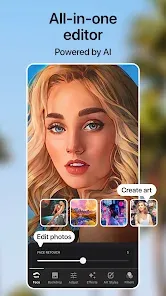
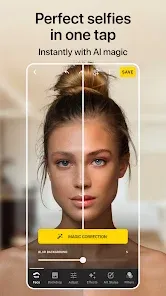
In the age of digital self-expression, having the right tools to perfect a photo or unleash your creativity is key. Lensa: photo editor & AI art is a powerhouse app that does both exceptionally well. It's your all-in-one studio for transforming images, starting with a suite of professional-grade retouching tools to perfect portraits and selfies. But where Lensa truly shines is in its groundbreaking AI Magic Avatars feature, which uses artificial intelligence to generate stunning, artistic portraits of you in hundreds of unique styles. It's more than an editor; it's a portal to reimagine yourself and your photos as works of art.
Key Features That Make a Difference
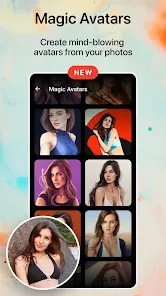
- AI Magic Avatars: Upload 10-20 selfies, and Lensa's AI generates dozens of unique, artistic avatars in styles ranging from fantasy and anime to pop art and cosmic—creating profile pictures that are truly one-of-a-kind.
- Professional Retouch Tools: Access precise tools for skin smoothing, blemish removal, reshaping, teeth whitening, and detail enhancement to make any portrait look its absolute best.
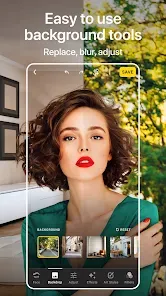
- Background Replacement & Editing: Instantly remove or replace photo backgrounds with a single tap, using AI to cleanly separate the subject, or choose from a library of scenic or studio backdrops.
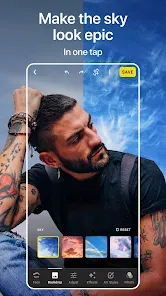
- AI-Powered Sky Replacement: Dramatically transform the mood of any landscape photo by realistically replacing a dull sky with a spectacular sunset, starry night, or dramatic storm.
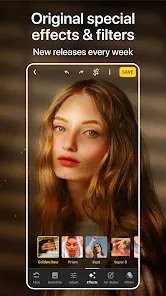
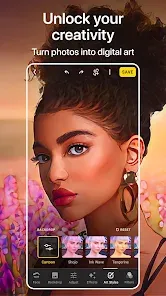
- Artistic Filters & Effects: Apply a vast collection of stylish filters, glitch effects, light leaks, and color-grading presets to give your photos a professional and creative finish.
Why You'll Love It
- The AI Magic Avatars feature is genuinely magical, producing creative, high-quality, and often breathtaking results that feel personal and unique.
- It consolidates the need for multiple apps, offering both top-tier photo retouching and avant-garde AI art creation in one place.
- Tools like background removal and sky replacement are incredibly fast and effective, using AI to handle complex edits with ease.
- The interface is sleek and intuitive, making advanced photo manipulation feel simple and accessible to everyone.
How to Use
- Click the button “Check All Versions” below to download and install Lensa: photo editor & AI art on your device or browser.
- For AI Avatars: Tap "Magic Avatars," follow the prompts to upload 10-20 close-up selfies, select your gender, and choose a style pack. Process and view your unique AI-generated portraits.
- For photo editing: Import a picture from your gallery. Use the "Retouch" menu for portrait enhancements like smooth skin or acne removal.
- Tap "Background" to remove or change the backdrop of your photo instantly with AI.
- Explore the "Effects" and "Filters" tabs to apply artistic styles and color corrections.
- Use the "Sky" tool on landscape photos to select and apply a new, realistic sky with automatic blending.

 0
0