











In our daily reliance on smartphones, it’s easy to overlook the digital clutter and performance drag that quietly accumulates—unused cache, duplicate photos, background apps draining battery, and lurking security threats. Phone Clean - Super Cleaner, Booster & Antivirus is designed to be your all-in-one digital maintenance toolkit, a comprehensive utility app that proactively optimizes, secures, and revitalizes your Android device. Whether you’re struggling with laggy performance, running out of storage, concerned about privacy, or simply want to keep your phone running like new, this app offers a powerful yet user-friendly suite of tools to tackle these issues head-on. It’s more than just a cleaner; it’s a personal device manager, thoughtfully engineered to give you back control, speed, and peace of mind with just a few taps.
Core Features That Make a Difference
- One-Tap Junk & Cache Cleaner: Instantly scan and safely remove gigabytes of residual cache files, app leftovers, and system junk that slow down your phone and waste precious storage space.
- Advanced Antivirus & Security Scan: Protect your device and personal data with a powerful malware scanner that checks apps, files, and the system for viruses, spyware, and phishing threats in real-time.
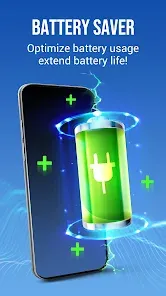
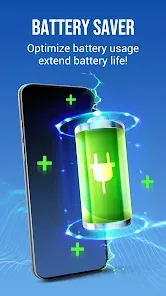
- CPU Cooler & Battery Saver: Detect and stop power-hungry background apps that overheat your CPU and drain your battery, applying intelligent optimizations to extend battery life and keep your device cool.
- Smart Duplicate File & Photo Remover: Automatically find and help you delete duplicate photos, videos, contacts, and documents, freeing up significant space without the hassle of manual searching.
- App Manager & Privacy Eraser: Bulk uninstall unwanted apps, clear app-specific caches, and securely wipe browsing history, call logs, and messages to protect your privacy.
Who Is This App For?
- Android users experiencing noticeable slowdowns, frequent storage warnings, or rapid battery drain on their devices.
- Non-technical users who want an easy, automated way to maintain their phone's health, security, and performance without delving into complex settings.
- Privacy-conscious individuals who want to ensure their deleted data is truly gone and their device is free from malicious software.
- Anyone who wants to proactively manage their digital space, keeping their phone clutter-free, fast, and secure as part of a regular routine.
How to Use Phone Clean - Super Cleaner, Booster & Antivirus
- Click “Check All Versions” below to download and install Phone Clean - Super Cleaner, Booster & Antivirus on your device or browser.
- Open the app and grant the necessary permissions (like storage access) for it to scan your device effectively. This is safe and standard for utility apps.
- Tap the prominent “Scan” or “Optimize Now” button on the main screen. The app will perform a comprehensive check of junk files, security threats, battery status, and CPU temperature.
- Review the scan results, which are typically categorized (e.g., Junk Files, Security Issues, Battery Drainers). You can usually choose to clean all items at once or select specific categories.
- Navigate to specialized tools via the side menu: use the “Duplicate Cleaner” to remove redundant photos, the “App Manager” to uninstall bloatware, and the “Antivirus” tab to run a deep security scan.
- For ongoing optimization, enable features like “Auto-Clean” in settings and set up regular security scans to keep your phone protected and performing smoothly without manual intervention.


 0
0