ADVERTORIAL
What is Kobo | eBooks & Audiobooks App?
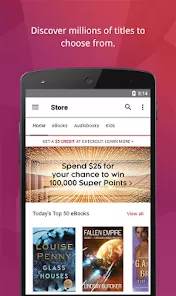
The Kobo | eBooks & Audiobooks app is a versatile reading platform designed for book lovers who enjoy eBooks and audiobooks. Developed by Rakuten Kobo Inc., this app allows users to access a vast library of titles across various genres, providing a convenient reading experience on mobile devices. With its user-friendly interface, Kobo | eBooks & Audiobooks caters to avid readers by enabling them to discover, purchase, and enjoy their favorite books anytime and anywhere. Whether you prefer reading eBooks or listening to audiobooks, the Kobo | eBooks & Audiobooks app ensures you have access to an extensive collection, personalized recommendations, and unique reading features.
Features of Kobo | eBooks & Audiobooks
- Extensive Library: Access millions of eBooks and audiobooks from various genres, including fiction, non-fiction, and bestsellers.
- Personalized Recommendations: The app offers tailored book suggestions based on your reading habits and preferences, making it easier to discover new titles.
- Customizable Reading Experience: Users can adjust font sizes, styles, and background colors to create a comfortable reading environment.
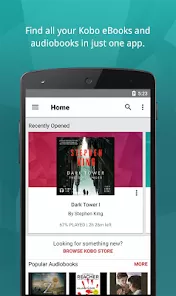
- Reading Progress Tracking: The app keeps track of your reading progress, allowing you to easily pick up where you left off.
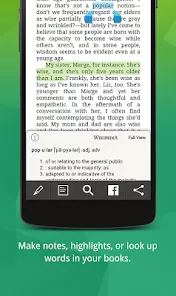
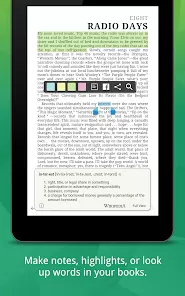
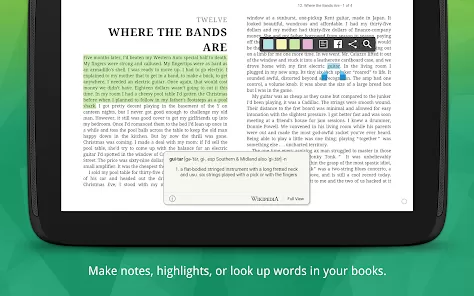
- Annotations and Highlights: Users can highlight text, add notes, and bookmark pages, enhancing the reading experience and allowing for easy reference.
- Sync Across Devices: Kobo | eBooks & Audiobooks synchronizes your library and reading progress across multiple devices, ensuring you can switch between your smartphone, tablet, or eReader seamlessly.
- Offline Reading: Download eBooks and audiobooks for offline access, enabling you to enjoy your favorites without an internet connection.
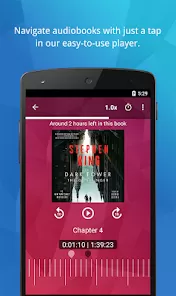
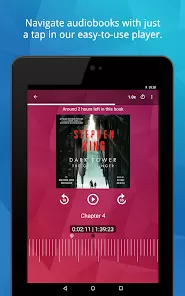
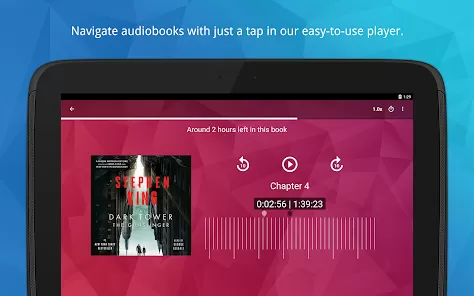
- Audiobook Integration: Listen to audiobooks directly within the app, complete with features like adjustable playback speed and sleep timers.
- Kobo Plus Subscription: For avid readers, Kobo Plus offers a subscription model that provides unlimited access to a selection of titles for a monthly fee.
Pros and Cons of Kobo | eBooks & Audiobooks
Pros:
- Wide Selection: Kobo | eBooks & Audiobooks boasts a vast library, offering a diverse range of titles that appeal to different interests.
- User-Friendly Interface: The app is designed for easy navigation, making it simple for users to find and enjoy books.
- Customization Options: Readers can personalize their reading experience, enhancing comfort and enjoyment.
- Syncing Features: The ability to sync across devices ensures a seamless reading experience.
Cons:
- Limited Availability of Certain Titles: Some popular titles may not be available in the Kobo library, especially compared to other platforms like Amazon Kindle.
- Subscription Costs: While Kobo Plus offers great value, the subscription model may not suit casual readers who prefer to purchase books individually.
- Regional Restrictions: Some features or titles may vary based on geographical location, limiting access for certain users.
- In-App Purchases: Users may encounter additional costs for certain features or premium content within the app.
Functions of Kobo | eBooks & Audiobooks
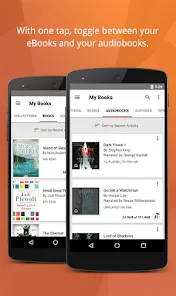
- Ebook and Audiobook Reading: Users can read eBooks or listen to audiobooks, providing flexibility in how they consume literature.
- Search and Discover: Easily search for titles, authors, or genres and explore curated lists for recommendations.
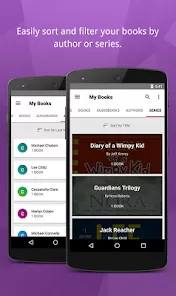
- Library Management: Organize your library by creating custom shelves, making it easier to locate and manage your books.
- Social Sharing: Share your reading experiences and favorite titles with friends through social media platforms directly from the app.
- Reading Stats: Track your reading habits, such as time spent reading, number of books read, and more, to monitor your progress.
- Community Features: Engage with fellow readers through book clubs and reading challenges, fostering a sense of community among users.
How to Use the Kobo | eBooks & Audiobooks App?
1. Download and Install: Start by downloading the Kobo | eBooks & Audiobooks app from the App Store (iOS) or Google Play Store (Android). Once installed, open the app to begin.
2. Create an Account: If you’re a new user, sign up for a Kobo account using your email address. Existing users can log in with their credentials.
3. Browse the Library: Navigate through the extensive library by exploring genres, recommendations, or bestsellers. Use the search function to find specific titles or authors.
4. Purchase or Borrow: Select a book to view its details, and choose to either purchase it or borrow it if it’s available through a library service. Add it to your library upon completion.
5. Customize Reading Settings: Open the book and adjust the reading settings to your preference, including font size, background color, and more for optimal comfort.
6. Start Reading: Once your preferences are set, begin reading! Use features like bookmarks, highlights, and notes to enhance your experience.
7. Listen to Audiobooks: If you prefer audiobooks, navigate to the audiobook section, select your title, and enjoy listening with adjustable playback options.
8. Sync Across Devices: Ensure that your reading progress syncs across all devices by connecting to the internet, allowing you to switch devices effortlessly.





 0
0