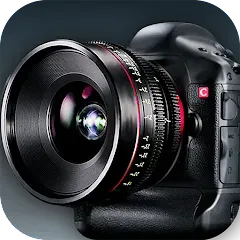
In an increasingly visual world, the ability to capture high-quality photos and videos directly from your computer has become essential for work, education, and personal connection. HD Camera transforms your device into a powerful imaging tool, delivering crisp, clear video for video conferencing, content creation, and personal photography. This sophisticated application goes beyond basic webcam functionality by providing manual controls, creative filters, and advanced settings that help you look your best in any lighting condition. Whether you're presenting in an important business meeting, streaming to an audience, or simply video chatting with family, HD Camera ensures you project professionalism and clarity in every frame.
Core Features That Make a Difference
- High-Definition Video Capture: Record and stream in up to 4K resolution with smooth frame rates
- Manual Exposure Controls: Adjust brightness, contrast, and white balance for optimal image quality
- Background Customization: Use virtual backgrounds or blur effects for professional presentation
- Creative Filters & Effects: Apply real-time filters for fun or professional-looking video
- Multi-Platform Compatibility: Work seamlessly with Zoom, Teams, Skype, and streaming software
Who Is HD Camera For?
- Remote Professionals: Those needing reliable video quality for daily meetings and presentations
- Content Creators: Streamers, YouTubers, and social media creators recording video content
- Online Educators: Teachers and trainers delivering engaging visual lessons
- Personal Users: Individuals wanting better quality for family video calls and personal projects
Why You'll Love Using HD Camera
- Professional Results: Achieve webcam quality that rivals dedicated camera equipment
- Easy Optimization: One-click settings for perfect lighting and exposure in any environment
- Privacy Controls: Camera activation indicators and manual shutter controls for security
- Creative Flexibility: Experiment with different looks and styles without additional software
How to Use HD Camera
- Click "Check All Versions" below to download and install HD Camera on your device
- Grant necessary camera permissions for the application to access your hardware
- Adjust video settings based on your lighting conditions and intended use
- Test your video in different applications to ensure compatibility and quality
- Set up virtual backgrounds or blur effects for professional-looking calls
- Save your preferred settings as presets for quick access in future sessions

 0
0