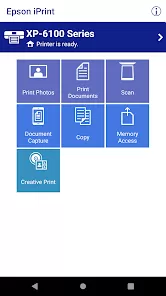

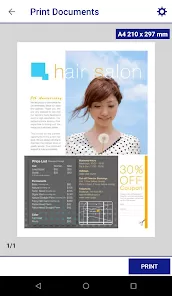
In our increasingly digital yet still paper-dependent world, the ability to seamlessly connect mobile devices to printing resources remains both essential and surprisingly challenging. Welcome to Epson iPrint, the comprehensive mobile printing solution that transforms your smartphone or tablet into a powerful printing command center for compatible Epson printers. Unlike generic printing apps that offer limited functionality, Epson iPrint provides a specialized interface designed specifically for Epson's ecosystem, delivering reliable wireless printing, scanning, and printer management directly from your mobile device. It's more than just sending documents to print; it's a complete mobile printing workstation that allows you to print photos and documents from cloud services, scan documents directly to your device, and manage printer settings—all without needing a computer intermediary. Whether you're printing last-minute boarding passes, scanning signed documents for email submission, or printing photos directly from social media, Epson iPrint delivers the convenience and flexibility that modern mobile users need while maintaining the quality and reliability that Epson printers are known for worldwide.
What Makes Epson iPrint a Standout Mobile Printing Solution?
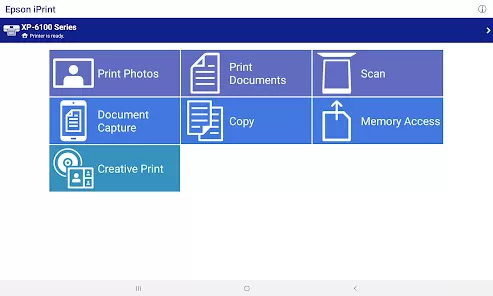
- Versatile Printing Capabilities: Print documents, photos, web pages, and emails directly from your mobile device, with support for various file formats including PDF, JPEG, and Microsoft Office documents.
- Cloud Service Integration: Access and print files directly from popular cloud storage services including Google Drive, Dropbox, OneDrive, and iCloud without needing to download them to your device first.
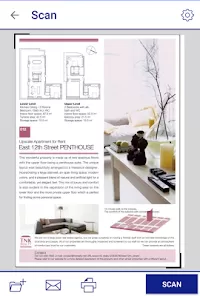
- Wireless Scanning Functionality: Use your Epson all-in-one printer's scanner directly from the app, capturing documents and photos wirelessly and saving them to your mobile device or cloud services.
- Printer Management and Maintenance: Monitor ink levels, clean print heads, check printer status, and access support information directly through the intuitive mobile interface.
Who Is Epson iPrint Ideal For?
- Mobile-First Professionals: Individuals who primarily use smartphones and tablets for work and need reliable printing capabilities without computer access.
- Students and Educators: Those in academic environments who frequently need to print assignments, research materials, and presentations from various devices and locations.
- Home and Small Office Users: People with Epson printers who want the convenience of wireless printing from anywhere within their network without being tethered to a computer.
- Photography Enthusiasts: Individuals who want to print photos directly from their mobile devices while maintaining the color accuracy and quality that Epson printers provide.
How to Maximize Your Epson iPrint Experience
- Click "Check All Versions" below to download and install Epson iPrint on your device or browser.
- Connect to Your Epson Printer: Ensure your printer is connected to the same Wi-Fi network as your mobile device and follow the app's straightforward pairing process.
- Explore Print Sources: Familiarize yourself with the various printing options including photos, documents, web pages, and cloud storage integrations.
- Configure Scan Settings: Set your preferred scan resolution, file format, and destination folders for quick and efficient document digitization.
- Utilize Printer Maintenance Features: Regularly check ink levels through the app and perform maintenance tasks like print head cleaning to ensure optimal print quality.


 0
0