eero wifi system

  •  4.8
  • Verified Safety

ADVERTORIAL

A strong, reliable Wi-Fi signal in every corner of your home is no longer a luxury—it's a necessity for work, streaming, and connecting all your smart devices. The eero app is the intuitive command center for your eero Wi-Fi system, transforming the complex task of managing a home network into a simple, user-friendly experience. From the initial guided setup to ongoing optimization and security, this app puts complete control of your eero mesh network in the palm of your hand, ensuring seamless connectivity for your entire household.

Core Features for Network Management

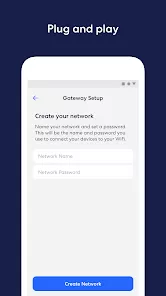
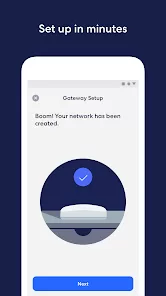
  • Guided Setup & Network Expansion: Get your first eero up and running in minutes with step-by-step instructions. Easily add more eeros to expand your mesh coverage room by room.
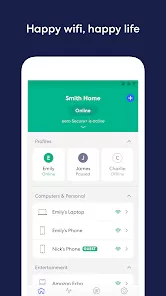
  • Real-Time Connection Overview: See all devices connected to your network, identify them by name, and get alerts when new devices join.
  • Internet Performance Testing: Run speed tests directly from the app to check your internet plan's performance and your Wi-Fi network's health.
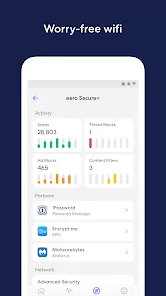
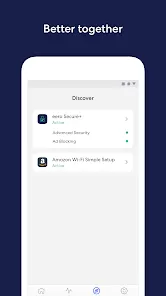
  • Advanced Security & Parental Controls (eero Plus): Subscribe to eero Plus for advanced features like ad-blocking, threat scanning, VPN protection, and content filters to manage screen time and block inappropriate sites.
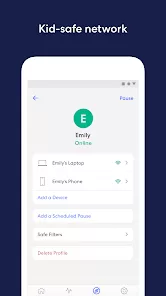
  • Guest Network & Profile Management: Create a separate, secure network for visitors. Set up profiles to group devices (like kids' phones and tablets) for easy management of pausing and filtering.

Who Is the eero App For?

  • Owners of any eero Wi-Fi system (eero 6, Pro, etc.) seeking easy management.
  • Households with Wi-Fi dead zones that need a simple solution for whole-home coverage.
  • Families wanting robust parental controls to manage internet access and content.
  • Individuals who value a simple, app-driven approach to network security and device management.

How to Set Up Your eero System

  • Click “Check All Versions” below to download and install the eero app on your device.
  • Create an eero account. Plug in your first eero router and follow the in-app setup wizard to connect it to your modem and configure your network.
  • Place your first eero in a central location. Use the app's placement guidance to find optimal spots for additional eero units to extend coverage.
  • Once set up, explore the dashboard to see connected devices, run a speed test, and set up your guest network.
  • Consider subscribing to eero Plus for advanced security and parental control features to get the most from your network.

ADVERTORIAL

User comments

1

Pros: The eeros mesh wifi 6 is a great system with security, coverage, and notifications alerting you who is signing on to either the home network or the guest. Cons: Troubleshooting is a nightmare! The "helpdesk" is no help! From restarting the gateway device and extenders to moving these devices, they were no help. Evidently, a device that was not WiFi 6 compatible tried to connect, and I can't figure it out. We have no devices that are not wifi 6 compatible. What is up Eeros?"

2

The app does not help troubleshoot at all. One of my Eeros suddenly started showing a red light and the app said it was offline, but did not offer any suggestions about what to do, not even a link to the online documentation, which is not all that helpful either. For example, it says "If you’re plugging your gateway eero into a modem/router combo device, put this device in bridge mode." It needs to give step-by-step instructions assuming no technical knowledge and using no technical terms."

1

The devices work fine when they work. But if you ever need support for a non-functioning device and you call them, that's where it goes bad!! You'll face an endless empty loop of people wanting you to connect, reconnect, disconnect, relocate, and plug and unplug everything, to NO AVAIL. It was immediately clear that my device had stopped functioning, but the support people seemed pre-programmed to avoid replacement at all cost. Ultimately, the vendor who sold me the units replaced it."

Similar Apps
  • 登录
社交账号登录