









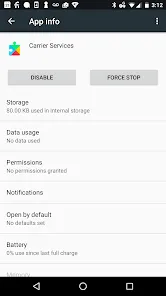
In today's interconnected world, maintaining clear and reliable communication is more important than ever. Enter Carrier Services, a crucial background application developed by Google in partnership with mobile carriers worldwide. Unlike typical apps you interact with daily, Carrier Services works silently behind the scenes to enhance your device's core messaging and calling capabilities. It's the unsung hero that ensures your Rich Communication Services (RCS) messages deliver seamlessly, improves voice call quality, and optimizes your connection to carrier networks. Think of it as a dedicated technician constantly fine-tuning your phone's communication hardware and software, providing smoother, more modern messaging experiences and clearer voice calls without any extra effort on your part.
What Makes Carrier Services Essential?
- Enhanced RCS Messaging: Powers advanced messaging features like read receipts, high-quality media sharing, and typing indicators that work across different carriers and devices.
- Improved Voice Call Performance: Optimizes call connectivity and audio quality by working with your carrier's network infrastructure to provide clearer conversations.
- Seamless Carrier Updates: Delivers important carrier configuration updates and bug fixes without requiring full system updates, keeping your communication features current.
- Network Compatibility: Ensures better compatibility between your device and your carrier's latest network technologies and communication protocols.
Who Needs Carrier Services?
- Android Smartphone Users: Anyone using an Android device, particularly those who rely on RCS messaging through Google Messages or similar applications.
- Frequent Communicators: People who depend heavily on messaging and voice calls for personal and professional communication need this service for optimal performance.
- Mobile Professionals: Individuals who require reliable, high-quality communication services while traveling or working remotely across different network conditions.
- Tech-Savvy Users: Those who want to take full advantage of their carrier's latest features and ensure their device communication capabilities are up-to-date.
How to Optimize Your Carrier Services
- Click "Check All Versions" below to download and install Carrier Services on your device or browser.
- Automatic Background Operation: Once installed, the service works automatically without requiring any manual configuration or regular interaction.
- Keep Updated: Ensure the app remains updated through the Google Play Store to benefit from the latest carrier enhancements and bug fixes.
- Check Compatibility: Verify that your carrier and messaging apps support RCS features to fully utilize the service's capabilities.
- Monitor Performance: Notice improved messaging reliability and call quality as the service continuously optimizes your communication experience.


 0
0 


