
In an online world filled with compelling videos, the ability to save your favorites for offline viewing is a powerful convenience. Videoder positions itself as a comprehensive video downloader, designed to fetch and save videos from a wide array of popular platforms. It goes beyond simple downloads by offering features like batch downloading, format selection, and even audio extraction, aiming to be a versatile toolbox for users who want to build a personal media library from online content.
Core Downloading & Management Features
- Multi-Platform Support: Supports downloading from numerous sites including YouTube, Facebook, Instagram, Dailymotion, Twitter, and many more, often detecting video links automatically when you copy them.
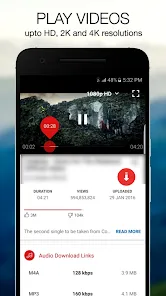
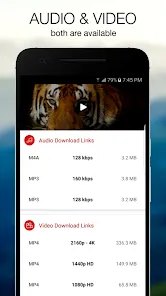
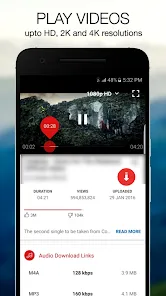
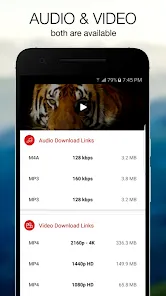
- Multiple Resolution & Format Options: Allows you to choose the video quality (e.g., 144p, 360p, HD, FHD) and file format (like MP4, WEBM, 3GP) before downloading to suit your storage or quality preferences.
- Batch Downloading & Playlist Grabber: Download multiple videos at once from a user's channel or a playlist link, making it efficient for saving entire series or collections of content.
- Audio-Only Extraction (MP3): Extract and download just the audio track from a video file, saving it as an MP3 file—ideal for creating music playlists from video platforms.
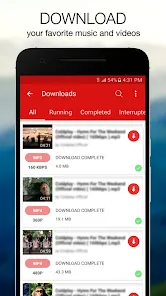
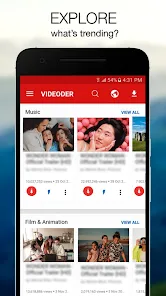
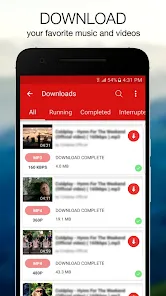
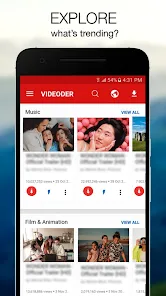
- Built-in Browser & Manager: Includes an integrated browser to navigate sites directly, and a download manager to organize, pause, resume, or view your downloaded files.
The User Experience
- Empowers Offline Access & Archiving: Enables viewing videos without an internet connection, which is crucial for travel, areas with poor connectivity, or for preserving content that might later be removed.
- Offers High Customization & Control: Gives users significant control over the quality and format of their downloads, allowing them to balance file size against visual fidelity.
- Saves Time with Batch Operations: The ability to download entire playlists or multiple files in one go is a major time-saver compared to downloading videos individually.
- Versatile Tool for Creators & Learners: Useful for students saving educational content, creators archiving references, or anyone wanting to keep a personal backup of meaningful videos.
- Important Legal & Ethical Considerations: Users must be mindful of copyright laws and terms of service of the source platforms. Downloading is intended for personal, fair use and should respect creators' rights.
How to Use Videoder
The process for downloading a video is typically consistent. Follow this general guide.
- Click the button “Check All Versions” below to download and install Videoder on your device or browser.
- Open the app. You can either use the built-in browser to navigate to a site like YouTube, or copy the link of the video you want from any other app.
- If you copied a link, Videoder will often detect it automatically and prompt you to download. If not, paste the link into the app's downloader field.
- The app will analyze the link and present you with a list of available download options (different resolutions and formats, including MP3). Select your preferred option.
- Choose a download folder on your device and start the download. You can monitor progress in the app's download manager.
- Once complete, find your downloaded video or audio file in your device's gallery or file manager, or within the Videoder app's "Downloads" section.


 0
0