

In the increasingly digital landscape of our daily lives, managing the growing collection of files on our Android devices can quickly become overwhelming. Files by Google emerges as an elegant solution to this modern challenge, offering a clean, intuitive file management experience that helps you take control of your device's storage. This thoughtfully designed application goes beyond simple file organization—it actively helps you free up space, find files faster, and share content seamlessly, all while maintaining a lightweight footprint that won't slow down your device. Whether you're trying to locate an important document, clear space for new photos, or quickly send files to friends, Files by Google transforms the often frustrating task of digital housekeeping into a smooth, efficient process.
Core Features That Simplify File Management
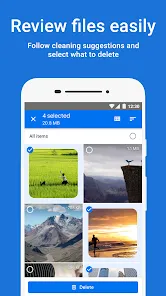
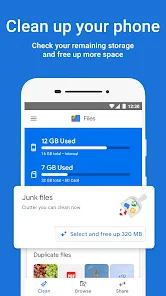
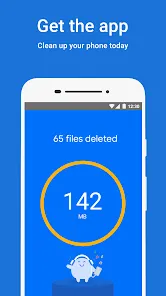
- Smart storage cleanup recommending files to delete based on usage patterns
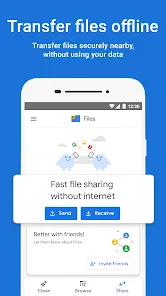
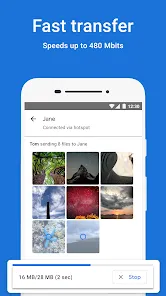
- Offline file sharing allowing fast transfers without mobile data or Wi-Fi
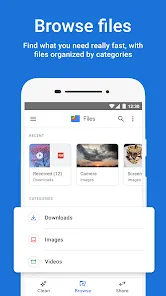
- Intelligent file categorization automatically sorting content by type and usage
- Duplicate file finder identifying and helping remove unnecessary copies
- Built-in file viewer supporting previews for documents, images, and videos
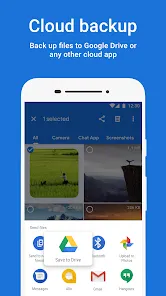
- Cloud file integration connecting with Google Drive for expanded storage
- Safe browsing feature scanning downloaded files for potential security issues
- Storage analysis providing clear breakdowns of what's using your space
- Batch operations enabling multiple file actions with single commands
- Backup functionality preserving important files to cloud services
Who Benefits from Files by Google
- Android users needing to efficiently manage their device storage
- People with limited storage space regularly cleaning their devices
- Students organizing study materials, assignments, and project files
- Professionals managing work documents across multiple platforms
- Photography enthusiasts organizing large collections of images
- Social media users frequently sharing content with friends and followers
- Travelers needing to manage files without consistent internet access
- Anyone transitioning between devices and needing to transfer files
The Files by Google Advantage
- Minimal storage footprint using less than 50MB of device space
- No cost completely free with no subscriptions or premium tiers
- Privacy-focused design with no data collection for advertising
- Offline functionality for file management without internet connection
- Simple interface designed for users of all technical skill levels
- Regular updates continuously improving performance and adding features
- Security integration with Google Play Protect scanning for malware
- Cross-device compatibility working across Android phones and tablets
How to Master Your Files
- Click the button "Check All Versions" below to download and install Files by Google on your device or browser.
- Grant necessary permissions for the app to access and manage your files
- Run the initial storage analysis to understand your space usage
- Use the Clean tab to safely remove junk files and free up space
- Organize your files using the Browse tab's automatic categorization
- Set up offline sharing to quickly transfer files to nearby devices
- Enable backup for important files to prevent accidental loss
- Use the search function to instantly locate specific files
- Schedule regular cleanups to maintain optimal storage conditions
- Explore settings to customize your file management preferences
- Share your experience to help friends improve their file management


0