Imagine pointing your phone at the night sky and instantly identifying stars, planets, constellations, and satellites—transforming that beautiful but mysterious expanse above into a labeled, interactive map of the cosmos. This magical experience is exactly what SkyView Lite delivers, serving as your personal planetarium that fits in your pocket and works anywhere you can see the sky. Think of it as having an astronomy expert standing beside you, ready to name every celestial object you point at and explain what you're seeing in real-time. It's not just another stargazing app; it's your gateway to understanding the universe above us, making the age-old human practice of looking up at the stars more accessible, educational, and awe-inspiring than ever before.
Features That Illuminate the Night Sky
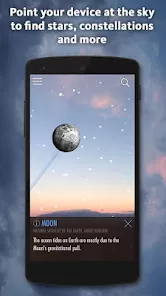
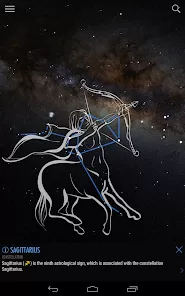
- Augmented Reality Star Mapping: Simply point your device at the sky to see labeled stars, planets, and constellations overlaid on your camera view
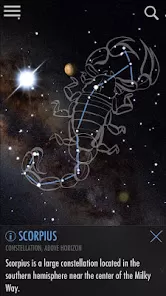
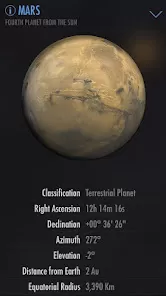
- Comprehensive Celestial Database: Access information on thousands of stars, all major planets, constellations, and man-made satellites
- Time Travel Functionality: Scroll forward or backward in time to see how celestial arrangements change over hours, days, or even centuries
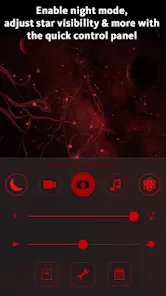
- Night Mode & Red Light Preservation: Switch to red-tinted display to maintain your night vision while stargazing
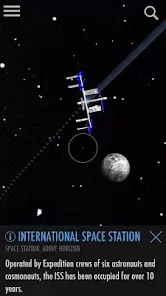
- Satellite Tracking: Identify and track the International Space Station, Hubble Telescope, and other notable satellites as they pass overhead
Who Is SkyView Lite Perfect For?
- Casual stargazers: wanting to identify bright stars and planets during evening walks or backyard observations
- Families and children: looking for educational outdoor activities that combine technology with nature
- Amateur astronomers: planning observation sessions or learning the night sky's changing patterns
- Photography enthusiasts: planning astrophotography shots or identifying celestial subjects in their images
- Educators and students: bringing astronomy lessons to life with interactive, real-world sky exploration
Why SkyView Lite Stands Out
- Remarkably Intuitive Interface: So simple that anyone can start identifying celestial objects within seconds of opening the app
- Offline Functionality: Works without internet connection once downloaded—perfect for remote stargazing locations
- Light Pollution Resilience: Effective even in moderately light-polluted urban and suburban environments
- Educational Depth: Provides not just names but interesting facts, mythology, and scientific information about celestial objects
- Free Access Model: Offers substantial functionality without cost, making astronomy accessible to everyone
How to Use SkyView Lite
- Click the button "Check All Versions" below to download and install SkyView Lite on your device or browser.
- Calibrate Your Device: Follow the simple calibration process to ensure accurate celestial tracking
- Start with Bright Objects: Begin by identifying the Moon, bright planets, and major constellations to build confidence
- Experiment with Time Controls: Practice using the time-scrolling feature to understand celestial motion patterns
- Explore Different Views: Switch between AR camera view and standard map mode to see which works best for your situation
- Develop Observation Habits: Incorporate regular sky viewing into your routine to gradually build your astronomical knowledge



 0
0