







Nextdoor is a unique neighborhood network app that fosters a sense of community digitally. Picture an online bulletin board for your neighborhood, where you can communicate with neighbors, exchange local news, and even lend or borrow items.From community events to lost pets, Nextdoor enables easy communication among neighbors within a specified locale. It's a handy tool for those wanting to strengthen their neighborhood bonds or stay connected with what's happening locally.
Below are some of its main features:
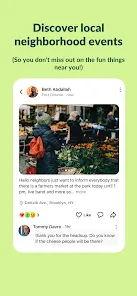
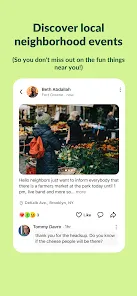
1. Neighborhood Feed: A real-time feed where neighbors post updates, ask questions, and share recommendations.
2. Private Messaging: A secure feature to communicate privately with neighbors.
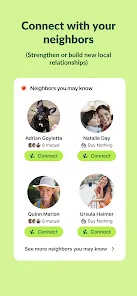
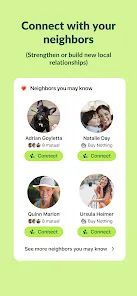
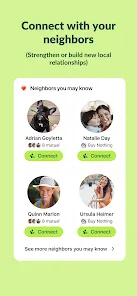
3. Neighborhood Directory: A listing of all the households in your neighborhood with an option to view profiles and connect.
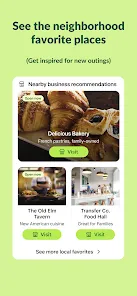
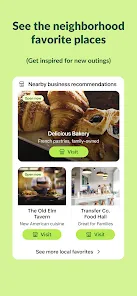
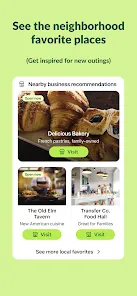
4. Recommendations: A place where neighbors can recommend local businesses, service providers, and much more.
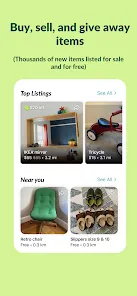
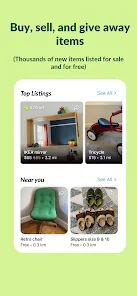
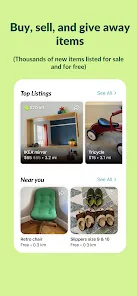
5. Local Deals and Classifieds: A marketplace for neighbors to buy, sell, trade, and give away items.
6. Neighborhood Watch: Report suspicious activities and receive real-time safety alerts from your neighbors and local law enforcement.
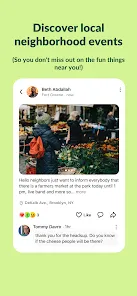
7. Event Calendar: Keep up with local events, meetings, and activities in your neighborhood.
8. Lost & Found: A helpful resource for locating missing pets or belongings.
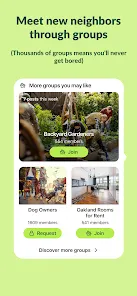
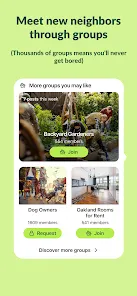
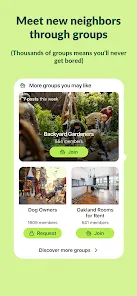
9. Groups: Create or join groups based on common interests with your neighbors.
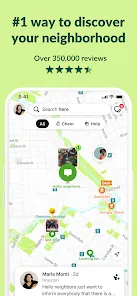
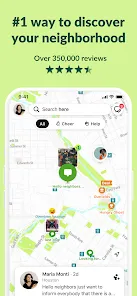
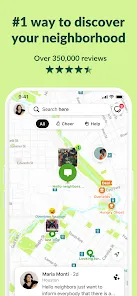
10. Help Map: Offer or seek help from neighbors during emergencies or times of need.
11. Polls: Conduct and participate in neighborhood polls to make collective decisions.
12. Public Agency Interface: Connect with local public agencies for information and updates.
This extensive set of features makes Nextdoor an engaging and versatile neighborhood network app.
Pros of Nextdoor: Neighborhood network
1. Local Information: Nextdoor is your go-to app for staying updated on local events, community initiatives, and emergencies.
2. Direct Contact: Easily communicate with your neighbors, promoting a sense of community.
3. Crime Prevention: Report suspicious activities and stay informed about neighborhood safety.
4. Reliable Recommendations: Neighbors can share personal experiences about local services, aiding your decision-making process.
5. Marketplace: Convenient platform to buy, sell or exchange goods within your locality.
Cons of the Nextdoor: Neighborhood network
1. Privacy Concerns: Despite efforts to keep personal information secure, sharing details within a digital neighborhood community may cause unease.
2. Limited Scope: Nextdoor is useful for local interactions but does not support broader community involvement.
3. Information Overload: With constant updates, it may become overwhelming to keep up with all posts and messages.
4. Negative Interactions: Like any social network, there can be instances of disagreements or conflicts among neighbors.
5. Advertisements: Some users have reported an increase in sponsored posts and business promotions.
Functions of Nextdoor: Neighborhood network App
1. Connect: Nextdoor bridges the gap between neighbors, allowing for easy interaction and networking.
2. Inform: Keep abreast with local news, events, and alerts, thanks to the real-time feed feature.
3. Discuss: Engage in meaningful conversations with neighbors through groups, private messaging, and neighborhood polls.
4. Trade: Use the local deals and classifieds feature to buy, sell, or swap goods within your vicinity.
5. Recommend: Share or solicit advice about local services or businesses with the recommendations feature.
6. Help: Extend or seek assistance during emergencies through the Help Map.
7. Report: Maintain neighborhood safety by reporting suspicious activities.
8. Plan: Organize or stay informed about community events with the event calendar.
9. Discover: Find lost pets or belongings using the Lost & Found feature.
10. Engage: Connect with local public agencies for community updates.
Each of these functions enhances the user experience and adds to the value of the Nextdoor app.
How to Use Nextdoor: Neighborhood network App?
1. Download and Install: Start by downloading the Nextdoor app from the App Store or Google Play, then install it on your device.
2. Sign Up: Create your account by providing necessary details, such as your name, email, and home address.
3. Verification: Verify your address to ensure you're placed in the correct neighborhood. This can be done through a phone call, postcard, or credit card verification.
4. Profile Setup: Set up your profile with information you're comfortable sharing with your neighbors.
5. Explore the Feed: Scroll through the neighborhood feed to see posts, recommendations, and alerts from your neighbors.
6. Post or Comment: You can create a post or comment on existing posts to interact with your neighbors.
7. Private Messaging: To start a private conversation with a neighbor, simply go to their profile and click on 'Send private message'.
8. Use the Features: Explore the features discussed earlier such as the marketplace, recommendations, event calendar, and neighborhood watch to make the most of the app.
9. Settings: Adjust your notification settings as per your preference to avoid information overload.
10. Engage: Regularly participate in neighborhood conversations to build relationships and stay informed about local happenings.


0