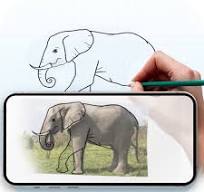
In a world dominated by complex digital art suites and subscription-based creative software, there remains a beloved, straightforward tool that has introduced generations to digital creativity. Microsoft Paint, affectionately known as MS Paint, stands as an enduring icon of accessibility and simplicity in computer artistry. This unassuming graphics editor, bundled with Windows operating systems for decades, offers an intuitive gateway into digital creation without the steep learning curve of professional software. Whether you're creating simple diagrams, editing screenshots, letting children explore digital drawing, or just doodling during a break, MS Paint provides a comforting, familiar space where creativity can flourish without pressure or complexity.
Core Features That Define Accessible Creativity
- Essential drawing tools including pencil, brush, airbrush, and shape tools
- Color palette with custom color creation and eye-dropper color selection
- Text tool for adding captions and labels to images and creations
- Selection tools for moving, copying, and editing specific image areas
- Basic image editing capabilities including resize, skew, and rotate functions
- Eraser and fill bucket for quick corrections and color changes
- Support for multiple file formats including PNG, JPEG, BMP, and GIF
- Simple interface with clearly labeled tools and minimal menus
- Zoom functionality for detailed pixel-level editing
- Undo/Redo commands for experimentation without commitment
Who Finds Value in MS Paint
- Young children taking their first steps in digital art creation
- Teachers creating simple visual aids and classroom materials
- Office workers quickly annotating screenshots and creating simple diagrams
- Senior citizens exploring computer functionality without overwhelming complexity
- Professional artists using it for quick sketches and concept mockups
- Memes creators crafting internet humor with straightforward editing tools
- Students completing basic graphic assignments for school projects
- Anyone needing quick image edits without learning complex software
The MS Paint Experience Advantage
- Completely free with no subscriptions, licenses, or hidden costs
- Extremely low system requirements running on virtually any Windows computer
- Instant startup with no loading screens or project setup required
- Zero learning curve allowing immediate creation from first launch
- Nostalgic comfort and familiarity for generations of Windows users
- Reliable performance without crashes or compatibility issues
- Minimalist interface that stays out of the way of creativity
- Perfect introduction to fundamental digital art concepts
How to Start Creating with MS Paint
- Click the button "Check All Versions" below to download and install MS Paint on your device or browser.
- Locate MS Paint through Windows Search or the Windows Accessories folder
- Open a new canvas or existing image file to begin editing
- Experiment with different brush sizes and tool options to understand their effects
- Practice using selection tools to move and manipulate parts of your image
- Explore the color editor to create custom shades beyond the basic palette
- Use the text tool to add captions and the shapes tool for quick diagrams
- Learn keyboard shortcuts like Ctrl+Z for undo to speed up your workflow
- Save your creations in appropriate formats (JPEG for photos, PNG for transparency)
- Try pixel-art by zooming in and editing at the individual pixel level
- Share your creations directly from Paint via email or other applications


 0
0