
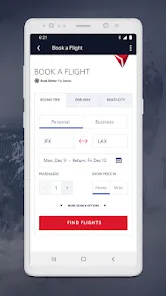
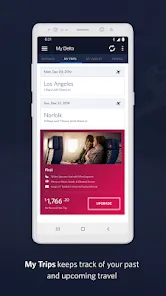
The Fly Delta app is your personal travel companion for flying with Delta Airlines. It offers an easy and intuitive way to book flights, manage itineraries, and stay informed throughout your journey. From checking flight statuses to accessing digital boarding passes, this app helps streamline the travel experience and reduce the stress that often comes with air travel. Whether you’re a frequent flyer or planning a one-time trip, Fly Delta keeps you in control and up-to-date with everything you need for smooth travel.
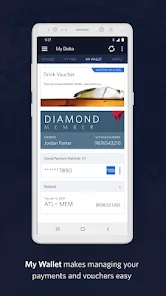
Passengers particularly enjoy how the app combines multiple travel functions into a single platform. Real-time updates, seat selection, and notifications ensure that you never miss important flight changes. Additionally, the app integrates Delta SkyMiles management, making it easier to track miles, redeem rewards, and maintain elite status.
Key Features
- Book flights and manage reservations directly from your device.
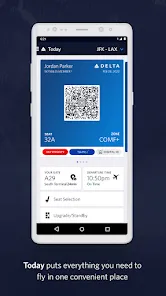
- Check in and receive mobile boarding passes for hassle-free airport entry.
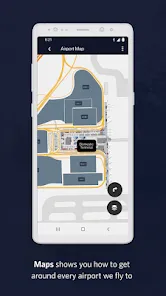
- Track flights in real-time, including gate information and delays.
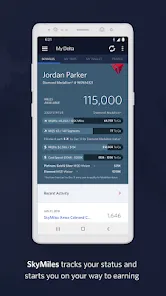
- Access and manage Delta SkyMiles account, rewards, and elite status.
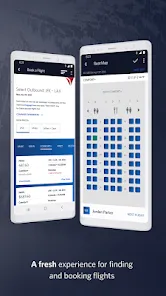
- View seat maps and select or upgrade seats easily.
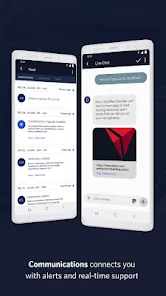
- Notifications and alerts for flight changes, boarding times, and gate assignments.
Advantages
- Convenient mobile access to all flight and travel information in one app.
- Real-time notifications keep travelers updated on any changes.
- Seamless integration with Delta SkyMiles allows easy reward tracking.
- User-friendly interface designed for quick navigation and minimal stress.
Drawbacks
- App may occasionally experience technical glitches during peak travel times.
- Some users report slower load times for flight updates or seat maps.
- Limited offline functionality; most features require an internet connection.
- Push notifications can be overwhelming if not customized.
How to Use
- Click the button “Check All Versions” below to download and install Fly Delta on your device or browser.
- Open the app and sign in with your Delta SkyMiles account or create a new one.
- Search for flights by entering departure, destination, and travel dates.
- Select your preferred flights, choose seats, and complete booking.
- Use the app to check in, access mobile boarding passes, and track flights in real-time.
- Manage your SkyMiles account to monitor rewards and elite status progress.
Final Thoughts
- Fly Delta offers a streamlined and reliable solution for managing all aspects of your Delta travel experience from a mobile device.
- Its combination of booking, flight tracking, and SkyMiles integration ensures convenience and efficiency for travelers.
- Whether you are a frequent flyer or occasional traveler, this app provides the tools you need for smooth and informed travel.

 0
0