
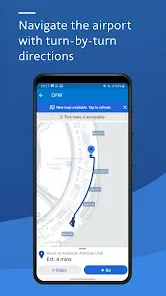
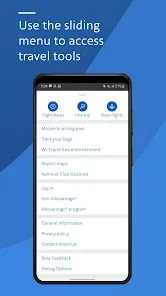
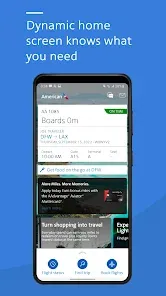
Travel should feel effortless from the moment you start planning to the second you arrive at your destination. The American Airlines app is designed to be your all-in-one travel companion, putting control of your entire journey right in the palm of your hand. Whether you're booking a flight, checking in, accessing your mobile boarding pass, or tracking your AAdvantage® miles, this intuitive app streamlines every step. With real-time flight status updates, seamless seat selection, and easy rebooking options, it transforms the complexities of air travel into a smooth, connected experience. It's the essential tool for every American Airlines traveler, helping you navigate your trip with confidence and ease.
Core Features for a Streamlined Journey
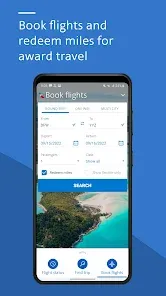
- Easy Booking & Management: Search for flights, compare prices, and book trips directly in the app. Manage your upcoming trips, view your itinerary, and make changes with just a few taps.
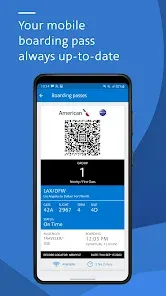
- Mobile Boarding Pass & Check-In: Check in for your flight 24 hours before departure and receive a mobile boarding pass directly on your phone for a contactless airport experience.
- Real-Time Flight Status & Notifications: Get instant push notifications for gate changes, delays, and boarding updates, and track your aircraft on a live map.
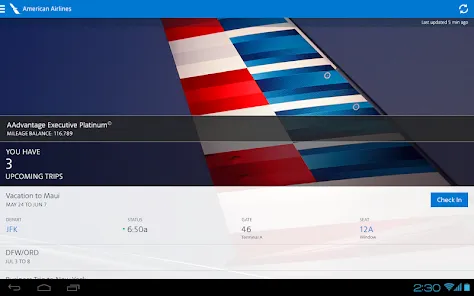
- AAdvantage® Account Access: View your mileage balance, track progress toward elite status, and redeem miles for awards—all within the app.
- In-App Entertainment & Connectivity: Access free entertainment on your personal device during your flight and view Wi-Fi availability and purchase options before you board.
Who Is the American Airlines App For?
- Frequent American Airlines flyers and AAdvantage® members who want centralized control over their travel and loyalty benefits.
- All travelers who prefer a digital, paperless experience from booking to boarding.
- Passengers who value real-time information and proactive notifications about their flight status.
- Anyone booking last-minute travel or needing to make quick changes to their itinerary while on the go.
How to Use American Airlines
- Click “Check All Versions” below to download and install American Airlines on your device or browser.
- Create an account or log in to link your AAdvantage® number and view your trips.
- To book, enter your travel details in the search bar, select your flight, and complete the purchase. Your trip will automatically appear in "My Trips."
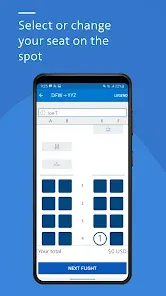
- 24 hours before your flight, use the app to check in, choose or change your seat, and save your mobile boarding pass to your phone's digital wallet.
- At the airport, enable push notifications for live updates. Use your mobile boarding pass at security and the gate. During your flight, connect to Wi-Fi to access the app's entertainment portal.


 0
0