
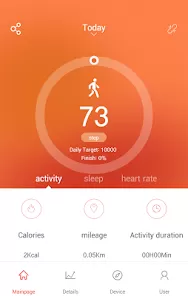
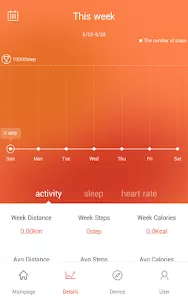
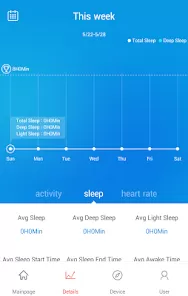
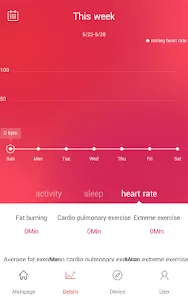
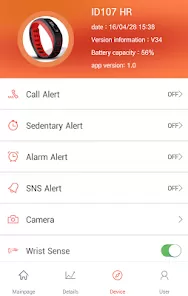
Your fitness tracker or smartwatch is a powerful tool for health, but unlocking its full potential requires a seamless connection to your smartphone. VeryFitPro serves as a versatile companion app for a wide range of budget-friendly smart bands and watches from brands like Amazfit and others. It bridges your wearable device to your phone, allowing you to sync health data, customize notifications, control music, and personalize your watch faces—all from one intuitive interface.
Core Features for Device Management
- Health Data Synchronization & Analysis: Sync and view data from your device, including steps, heart rate, sleep patterns, blood oxygen (SpO2), and workout summaries, in detailed charts and graphs.
- Smart Notifications & Call Alerts: Customize which app notifications (calls, SMS, social media) are forwarded to your wrist. Reject calls or control music playback directly from your watch.
- Custom Watch Faces & Settings: Browse and install a large library of free and paid watch faces to match your style. Adjust device settings like screen brightness, lift-to-wake, and sedentary reminders.
- Workout Tracking & GPS Connectivity: Start and track various workout modes (running, cycling, etc.) from the app. Use your phone's GPS for accurate route mapping during outdoor activities.
- Device Finder & Remote Camera Control: Make your connected band vibrate to help locate it. Use your wearable as a remote shutter for your phone's camera.
Who Is the VeryFitPro App For?
- Owners of compatible smart bands and watches (commonly from Amazfit, Lenovo, and other brands that use the VeryFit platform).
- Individuals who want a central app to view and analyze their basic health and fitness metrics.
- Users looking to personalize their wearable experience with custom notifications and watch faces.
- Anyone who prefers a straightforward, no-frills companion app for their affordable fitness tracker.
How to Set Up and Use VeryFitPro
- Click “Check All Versions” below to download and install VeryFitPro on your device.
- Enable Bluetooth on your phone. Open the app, create an account, and grant necessary permissions.
- In the app, tap "Device" > "Add Device" and select your watch/band model from the list. Follow the pairing instructions.
- Once paired, explore the "Home" tab for your health data. Go to the "Device" tab to set up notifications, choose a watch face, and adjust other settings.
- Use the app daily to review your synced data, manage alerts, and customize your wearable to fit your lifestyle.



 0
0