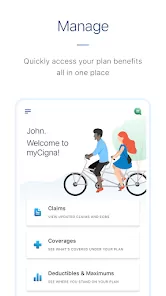
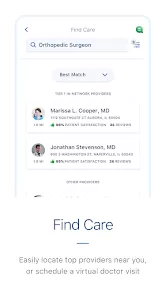
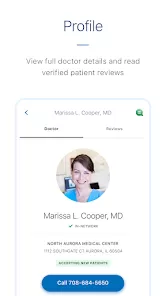
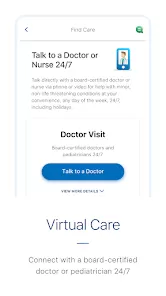
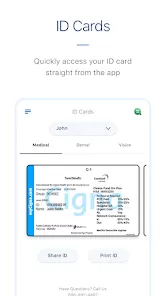
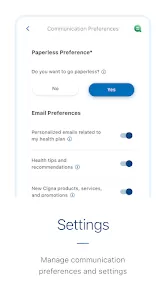
The MyCigna app is a convenient and secure health management tool designed to help Cigna insurance members easily access their benefits, claims, and health resources—all in one place. With this app, users can find in-network doctors, check coverage details, view ID cards, manage prescriptions, and track healthcare spending with just a few taps. Whether you’re reviewing medical bills, refilling medications, or monitoring wellness goals, MyCigna simplifies the process, ensuring you stay informed and in control of your healthcare wherever you go.
Key Features
- View your digital ID cards anytime for easy access at doctor visits.
- Track claims, account balances, and spending for medical, dental, and vision plans.
- Find nearby in-network doctors, hospitals, and pharmacies quickly.
- Check coverage and benefit details specific to your Cigna plan.
- Access prescription details, refill medications, and compare drug prices.
- Set and monitor personal health goals, including fitness and wellness tracking.
- Receive alerts for claim updates, coverage changes, and important reminders.
Why Users Love It
- It puts all your healthcare information in one secure, easy-to-use app.
- Digital ID cards mean you’ll never have to worry about forgetting your insurance card again.
- Search and compare medical providers to find high-quality care within your network.
- Helps manage out-of-pocket expenses and track deductible progress in real time.
- Offers simple, mobile-friendly access to essential health tools and benefits.
Who It’s Best For
- Cigna members who want convenient access to their health insurance information.
- People managing multiple medical, dental, or vision plans under Cigna.
- Anyone who prefers handling healthcare needs digitally—appointments, claims, and prescriptions.
- Families or caregivers who need to keep track of multiple dependents’ health coverage.
Smart Usage Tips
- Enable push notifications to stay updated on claims and coverage alerts.
- Use the “Find Care” feature to locate in-network doctors and avoid unexpected costs.
- Regularly check your claim history to ensure all visits and treatments are properly recorded.
- Link your pharmacy benefits for quicker refills and drug pricing comparisons.
- Set personal wellness goals and track progress using built-in health tools.
Troubleshooting & Support
- If you can’t log in, use the “Forgot Username or Password” option on the login page.
- Ensure your app and device software are up to date for the best performance.
- If your information doesn’t load, try refreshing your account or logging out and back in.
- For claim or coverage questions, contact Cigna customer support directly through the app.
- Check your internet connection if features like “Find Care” aren’t displaying results.
How to Use
- Click the button “Check All Versions” below to download and install MyCigna on your device or browser.
- Open the app and sign in with your Cigna account credentials, or register if you’re a new user.
- Access your digital ID card and view your plan details from the home screen.
- Use the “Find Care” tab to locate doctors, pharmacies, and hospitals within your network.
- Check claims and benefits, refill prescriptions, and set wellness goals easily.
- Enable biometric login for faster and more secure access to your account.
Final Thoughts
- The MyCigna app provides a seamless way to manage your health benefits anytime, anywhere.
- It empowers users to make informed healthcare decisions with easy access to claims, coverage, and provider information.
- Whether tracking expenses, refilling prescriptions, or finding care, MyCigna turns healthcare management into a simple, stress-free experience.



 0
0