
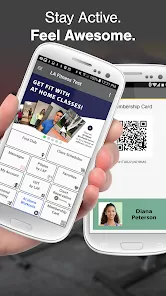
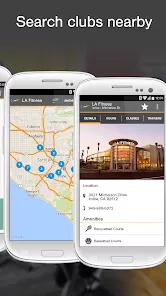
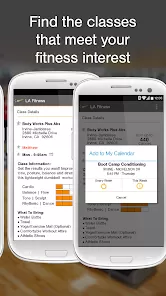
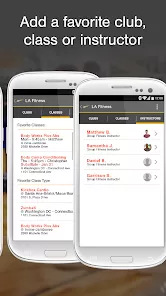
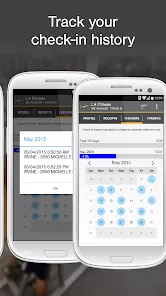
Embarking on a fitness journey is a commitment to your health and well-being, but managing that journey—from booking classes to tracking workouts—should feel empowering, not like another chore. In today's busy world, you need a fitness partner that offers both exceptional facilities and seamless digital convenience. That's where the LA Fitness Mobile app comes in. It's much more than a simple gym locator; it's your all-in-one digital companion designed to integrate seamlessly with your membership, putting control and motivation right in the palm of your hand. Whether you're reserving a spot in a popular group fitness class, checking real-time club capacity, accessing your digital membership card, or tracking your workout history, the LA Fitness Mobile app streamlines your entire gym experience, helping you stay focused on your goals.
Why You'll Love Managing Fitness with the App
We built the LA Fitness Mobile app to enhance every aspect of your membership, making it easier to plan, attend, and get the most out of every visit. It's crafted to save you time and keep you connected to your fitness community. Here's what makes it an essential tool for members:
- Effortless Class Reservations & Schedules: Browse full schedules for all group fitness classes—from Yoga and Spin to HIIT and Aqua Fit—at your home club or any location. Book your spot in advance to secure a place in your favorite sessions and manage your weekly fitness calendar with ease.
- Real-Time Club Capacity & Waitlist: Plan your workout around peak hours. Check the real-time member count at your club before you go. If a class is full, join the waitlist directly from the app and get notified if a spot opens up.
- Digital Membership & Guest Passes: No more forgotten membership cards. Use the app's digital barcode for smooth check-in at the front desk. Easily manage and send guest passes to friends and family directly from your phone.
- Workout Tracking & History: Log your exercises, sets, reps, and weights during your session. Review your workout history to track progress over time, celebrate milestones, and plan future routines for continued improvement.
Key Features for a Connected Fitness Lifestyle
Beyond booking and check-in, the app includes features that support a holistic approach to your health and gym experience:
- Club Locator with Amenities & Hours: Find any LA Fitness or City Sports Club nationwide. View detailed information including hours of operation, phone numbers, and a full list of amenities like pools, basketball courts, and Kids' Klub availability.
- Personal Training Management: If you work with a personal trainer, use the app to view your upcoming sessions, manage your package, and communicate directly with your trainer for scheduling and support.
- Pro Shop & Member Offers: Browse and purchase fitness apparel, supplements, and accessories from the Pro Shop. Stay informed about exclusive member discounts and promotions on services like personal training.
- Important Membership Details: Access your account information, billing details, and membership plan specifics all in one secure place, making account management transparent and convenient.
How to Get Started with the App
Syncing your membership and unlocking all the app's features is a quick and simple process. Here's how to begin:
- Click the button “Check All Versions” below to download and install the LA Fitness Mobile app on your device.
- Open the app and log in using the same email and password associated with your LA Fitness or City Sports Club membership. If you're a new member, you can create an account using your membership information.
- Set your preferred home club. This will personalize class schedules and club information for your most frequent location.
- Explore the class schedule for the week and book your first session. Try using the digital barcode at the front desk on your next visit for check-in.
- Navigate to the workout tracker on your next gym visit and log a few exercises to start building your personal fitness history.
Your Fitness Journey, Digitally Enhanced
The LA Fitness Mobile app is designed to be the perfect digital extension of your gym membership, removing friction and adding value to every step of your fitness routine. It empowers you to take control of your schedule, avoid crowds, stay motivated with progress tracking, and engage fully with all the amenities your club offers. Whether you're a class enthusiast, a dedicated weightlifter, or a parent fitting in a workout around a busy schedule, this app helps you make the most of your membership. Download it today and experience a smarter, more connected way to pursue your health and fitness goals.



 0
0