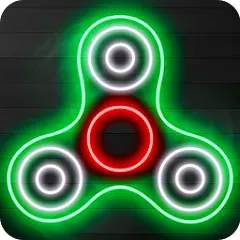
Remember the satisfying whirl and tactile focus of the fidget spinner craze? The Fidget Spinner app brings that same calming, kinetic experience to your screen, offering a digital collection of beautifully designed spinners to spin, customize, and collect. Perfect for moments when you need to fidget, focus, or simply take a brief mental break, this app provides a silent, portable way to unwind. With various styles, themes, and interactive effects, you can enjoy the soothing motion and visual appeal of a spinner anytime, anywhere—without ever needing to dig through your desk drawer. It’s a simple, delightful tool for mindfulness and playful distraction.
Core Features for Digital Fidgeting
- Realistic Physics & Smooth Spinning: Experience satisfying, physics-based spinning mechanics. Flick your finger to set a spinner in motion and watch it spin and slow down with realistic momentum.
- Vast Collection & Unlockables: Discover dozens of unique spinner designs, from classic tri-spinners to themed, artistic, and novelty shapes. Earn coins through spinning to unlock new ones.
- Customization & Upgrades: Use in-game currency to purchase and apply special visual effects, change spinner colors, or upgrade parts to make your spinner spin faster and longer.
- Relaxing Visuals & Sounds: Choose from calming background themes and optional, gentle sound effects that enhance the tactile and visual satisfaction of the spin.
- Simple, Intuitive Controls: The app is designed for instant pick-up-and-play. Just touch and swipe to spin—no complex menus or tutorials needed.
Who Is This App For?
- Anyone who finds fidgeting or repetitive motion helpful for concentration, stress relief, or managing anxiety.
- Fans of the original fidget spinner trend looking for a digital, always-available version.
- People seeking a quick, screen-based break that’s more mindful and less consuming than social media or games.
- Kids and adults who enjoy collecting and customizing virtual items in a low-pressure, creative environment.
How to Use the Fidget Spinner App
- Click “Check All Versions” below to download and install Fidget Spinner on your device or browser.
- Open the app and you'll be presented with your first spinner. Simply swipe your finger across it to set it spinning.
- Browse the "Collection" or "Shop" tab to see all available spinners. Use coins earned by spinning to purchase new designs.
- Visit the "Customize" section for your current spinner to change its color, add trail effects, or upgrade its bearings for longer spin time.
- Experiment with different spinning techniques—quick flicks, gentle pushes, double-finger spins—to see how long and fast you can keep your spinner going.


 0
0