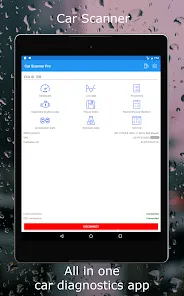
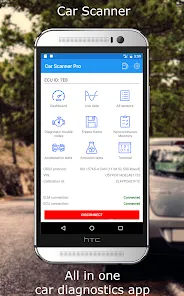
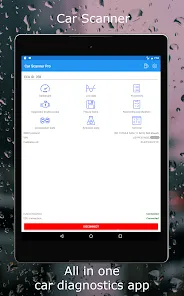
In today's increasingly complex automotive landscape, where modern vehicles function as rolling computers with sophisticated electronic systems, having access to diagnostic information can transform how you understand and maintain your car. Welcome to Car Scanner info page, the comprehensive mobile application that turns your smartphone or tablet into a professional-grade automotive diagnostic tool by connecting to your vehicle's On-Board Diagnostics (OBD2) port. Unlike basic code readers that only display check engine light information, Car Scanner provides real-time data visualization, advanced diagnostics, and performance monitoring for virtually any system in your vehicle. It's more than just reading trouble codes; it's your window into your vehicle's electronic soul, allowing you to monitor engine parameters, track fuel efficiency, test emissions readiness, diagnose electrical issues, and even customize dashboard displays with the specific gauges and information most relevant to your driving and maintenance needs. Whether you're a DIY mechanic troubleshooting a specific issue, a car enthusiast monitoring performance metrics, or simply a vehicle owner wanting to understand your car's health better, Car Scanner ELM OBD2 delivers the insights and information that can save you time, money, and trips to the repair shop.
What Makes Car Scanner ELM OBD2 a Comprehensive Diagnostic Tool?
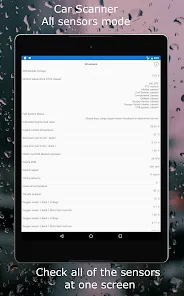
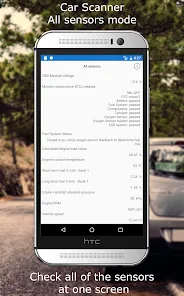
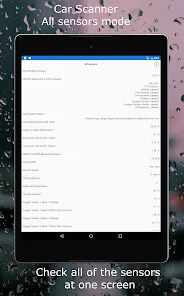
- Real-Time Data Monitoring and Visualization: Access and display hundreds of live data parameters from your vehicle's computer systems including engine RPM, vehicle speed, coolant temperature, oxygen sensor readings, and fuel trim values.
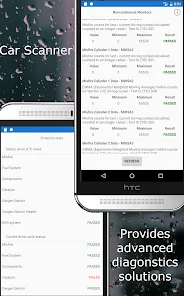
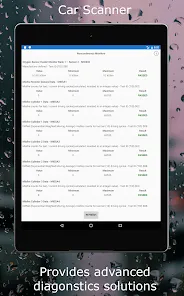
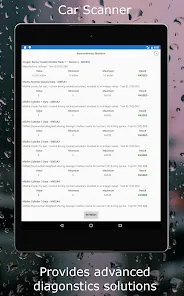
- Advanced Trouble Code Reading and Clearing: Read generic and manufacturer-specific diagnostic trouble codes, view code definitions and possible causes, and clear codes after repairs—though professional diagnosis is recommended for complex issues.
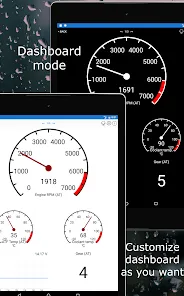
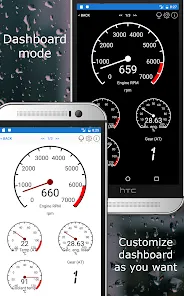
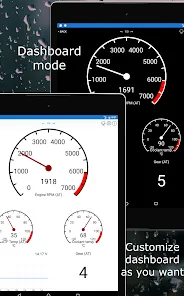
- Customizable Dashboard and Instrument Cluster: Create personalized dashboards with your choice of gauges, graphs, and displays tailored to your specific monitoring needs, from basic fuel economy to advanced performance parameters.
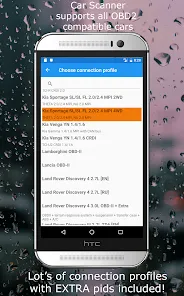
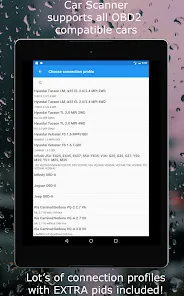
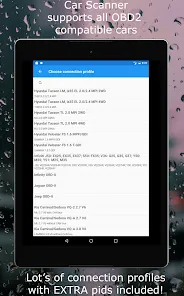
- Vehicle-Specific Profiles and Enhanced Diagnostics: Access specialized profiles for different vehicle makes and models with enhanced parameter support and manufacturer-specific diagnostics for more accurate and detailed information.
Who Is Car Scanner ELM OBD2 Ideal For?
- DIY Mechanics and Car Enthusiasts: Individuals who perform their own vehicle maintenance and troubleshooting and need detailed diagnostic information beyond basic code reading.
- Performance and Tuning Enthusiasts: Those modifying vehicles or monitoring performance metrics who need real-time data on engine parameters, air-fuel ratios, and other performance indicators.
- Everyday Vehicle Owners: People who want to better understand their vehicle's operation, monitor maintenance needs, and diagnose basic issues before visiting a repair shop.
- Used Car Buyers and Sellers: Individuals looking to verify vehicle condition before purchase or demonstrate vehicle health during sale transactions.
How to Begin Using Car Scanner ELM OBD2
- Click "Check All Versions" below to download and install Car Scanner ELM OBD2 on your device or browser.
- Acquire a Compatible OBD2 Adapter: Purchase an ELM327-compatible Bluetooth or Wi-Fi OBD2 adapter that connects your vehicle's diagnostic port to your mobile device.
- Connect to Your Vehicle: Plug the adapter into your vehicle's OBD2 port (typically located under the dashboard near the steering column), then pair it with your device via Bluetooth or Wi-Fi.
- Configure Your Vehicle Profile: Select your vehicle's make, model, year, and engine type to ensure accurate parameter identification and specialized support where available.
- Explore Data and Create Custom Dashboards: Start with basic parameter monitoring, then build custom dashboards with the specific gauges and information displays most useful for your diagnostic needs.


 0
0