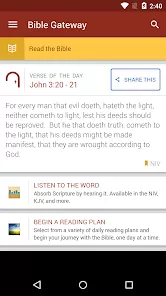
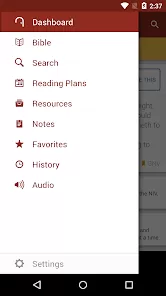
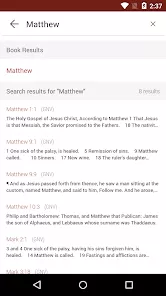
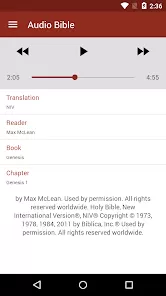

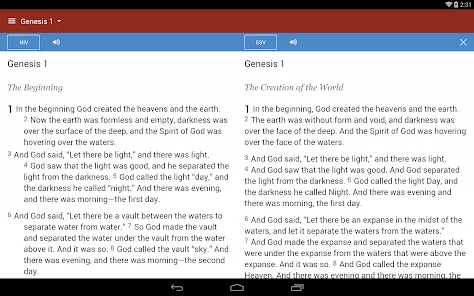
Bible Gateway App is a comprehensive mobile application that allows users to read, study, and explore the Bible in multiple translations and languages. With features like audio Bibles, search functions, reading plans, and verse highlighting, the app provides a rich and interactive experience for personal devotion, study, and reflection. Designed for both casual readers and scholars, Bible Gateway App makes it easy to access scripture anywhere, anytime, and stay connected to daily spiritual practice.
Overview
- Access multiple Bible translations and languages on a mobile device.
- Read, listen, and study scripture with ease and convenience.
- Designed for personal devotion, study, and spiritual growth.
Key Features
- Read full Bible texts in numerous translations and languages.
- Audio Bible options for listening on the go.
- Search tool to find verses, keywords, or topics quickly.
- Verse highlighting, notes, and bookmarks for easy reference.
- Daily reading plans and devotionals to guide spiritual growth.
- Integration with social sharing to share verses and insights with others.
Design and Usability
- Clean, intuitive interface optimized for smartphones and tablets.
- Quick navigation between books, chapters, and verses.
- Customizable font size and themes for comfortable reading.
- Easy access to bookmarks, notes, and reading plans from the main dashboard.
Study and Reflection Tools
- Bookmark and highlight important passages for reflection.
- Add personal notes for study or meditation purposes.
- Follow daily reading plans to maintain consistent Bible engagement.
- Use search and cross-reference features for deeper understanding of scripture.
Who It’s For
- Individuals seeking easy access to multiple Bible translations and languages.
- Users interested in personal study, devotion, and spiritual reflection.
- Christians looking for daily reading plans, devotionals, and interactive tools.
- Anyone wanting a portable and comprehensive Bible study resource on their device.
How to Use
- Click the button “Check All Versions” below to download and install Bible Gateway App on your device or browser.
- Open the app and select your preferred Bible translation and language.
- Navigate through books, chapters, and verses to read scripture.
- Use search functionality to find specific verses, keywords, or topics.
- Bookmark favorite verses and add personal notes for reflection.
- Follow daily reading plans to maintain a consistent study routine.
- Listen to audio Bibles or share verses with others for an interactive experience.



 0
0