ADVERTORIAL
What is the BetterMe App?
In today's fast-paced world, maintaining a healthy lifestyle can be challenging. The BetterMe app aims to simplify health and wellness management, providing users with personalized fitness plans, nutrition guidance, and mental health support. It serves as a comprehensive health coaching tool designed to empower individuals to achieve their wellness goals through tailored programs and resources. Whether you are looking to lose weight, increase your fitness level, or enhance your mental well-being, BetterMe offers a range of solutions to help you on your journey.
Features of BetterMe
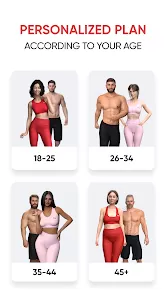
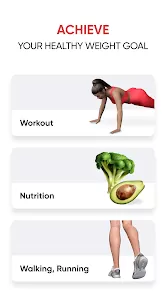
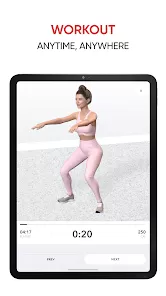
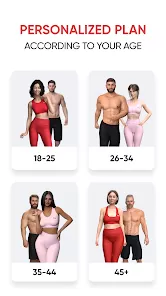
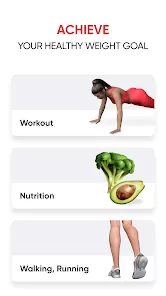
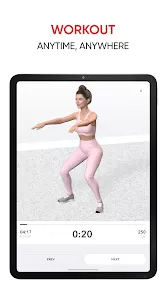
- Personalized Fitness Plans: Users receive customized workout routines based on their fitness levels, goals, and preferences. The app includes various workout types, such as strength training, cardio, and yoga.
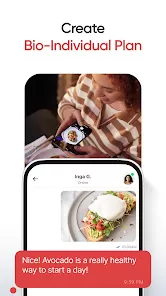
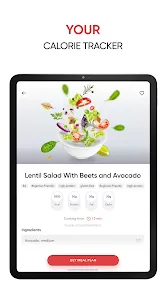
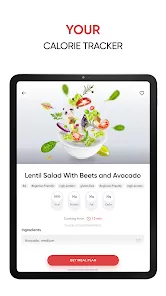
- Nutrition Guidance: BetterMe provides meal plans and recipes tailored to users' dietary needs and preferences, including vegetarian, vegan, and gluten-free options.
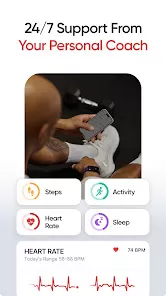
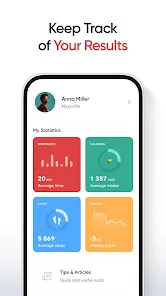
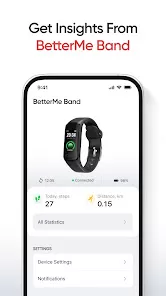
- Progress Tracking: Users can monitor their progress through metrics such as weight, body measurements, and fitness levels. The app allows for easy logging of workouts and meals to keep users accountable.
- Mental Health Support: The app includes guided meditations, stress-relief exercises, and mindfulness techniques to support users' mental well-being alongside their physical health.
- Community Support: BetterMe offers access to a community of users, allowing for social interaction, motivation, and shared experiences, enhancing accountability and encouragement.
- Expert Guidance: Users have access to certified health coaches and fitness trainers who provide advice, support, and motivation throughout their wellness journey.
Pros and Cons of BetterMe
Pros:
- Personalization: The app tailors programs to meet individual goals and preferences, making it suitable for various users, from beginners to advanced fitness enthusiasts.
- Comprehensive Approach: BetterMe focuses on physical health, nutrition, and mental well-being, offering a holistic approach to wellness that is often lacking in other apps.
- User-Friendly Interface: The app is designed with an intuitive layout, making it easy for users to navigate through features and access the resources they need.
- Supportive Community: The app fosters a sense of community among users, which can be motivating and provide encouragement in pursuing health goals.
Cons:
- Subscription Cost: While BetterMe offers a free trial, many of its features require a paid subscription, which may not be feasible for everyone.
- Limited Free Features: The free version of the app may have restricted functionality, which can limit users' experiences unless they opt for the paid version.
- Varied Results: Users’ experiences may vary, and while many find success, others may not achieve the desired results, leading to frustration.
- Potential Overwhelm: With a vast array of features, some users may find the amount of information and options overwhelming, especially if they are new to fitness and wellness apps.
Functions of BetterMe
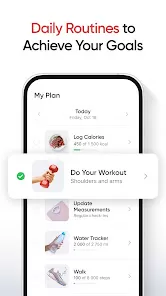
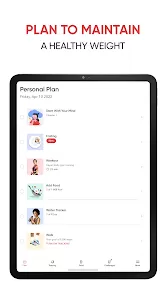
- Workout Generator: Creates personalized workout routines based on user preferences, fitness levels, and specific goals.
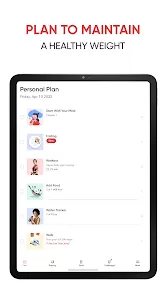
- Meal Planner: Suggests weekly meal plans tailored to users' dietary needs and preferences, including grocery lists for convenience.
- Progress Reports: Provides users with visual representations of their progress over time, helping them stay motivated and focused on their goals.
- Mindfulness Tools: Offers a library of guided meditations and relaxation exercises designed to reduce stress and enhance mental clarity.
- Community Forum: Facilitates discussions among users, allowing for sharing experiences, tips, and motivation in a supportive environment.
How to Use BetterMe
1. Download the App: Begin by downloading the BetterMe app from the App Store or Google Play Store. Create an account by entering your details or using a social media login.
2. Complete the Initial Assessment: Upon first use, complete a brief questionnaire about your fitness level, health goals, and dietary preferences. This helps the app tailor your experience.
3. Explore Features: Navigate through the app to discover its various features, including workout plans, meal suggestions, and mindfulness resources.
4. Set Goals: Establish specific and achievable health goals within the app. Whether you aim to lose weight, gain muscle, or improve mental health, clear objectives will help guide your progress.
5. Follow Your Plan: Adhere to the personalized workout and meal plans provided by the app. Regularly log your workouts and meals to track your progress effectively.
6. Engage with the Community: Participate in discussions, share experiences, and connect with other users for motivation and support.
7. Seek Expert Advice: If needed, reach out to the app's certified coaches for personalized advice, guidance, and motivation to help you stay on track.





 0
0